Synology Drive

A collaboration tool on a cloud storage platform allowing people to access, share and back up files anytime, anywhere.
Project Type
Cross-Device Collaboration Platform
duration
10/2017 – 02/2019
My Role
UX Designer
Team Members
Software PM
Web App Developers
Desktop App Developers
Android and iOS App Developers
THE CHALLENGE
  • Collaborate with the cross-functional team of 20+ members to deliver new cross-platform design and improved user experience of the product.
  • Become familiar with the design principles of different platforms - web, mobile, and desktop apps.
MY CONTRIBUTION
  • Helped the team understand the problems of existing users and discover new needs through hosting 5 interviews.
  • Proposed different design solutions within technical limitations.
  • Improved the user experience by conducting 16 rapid usability tests in one week.
  • Delivered detailed interaction design specs of the web, mobile and desktop apps to developers for smoother collaboration.
  • Applied usability testing to the development process, laying the foundation for the work specification of the Product Design Team.
Outcome & Impact
  • Attracted 4 million users within 6 months of new version launch.
  • Built 2 successful business customer stories.
Overview
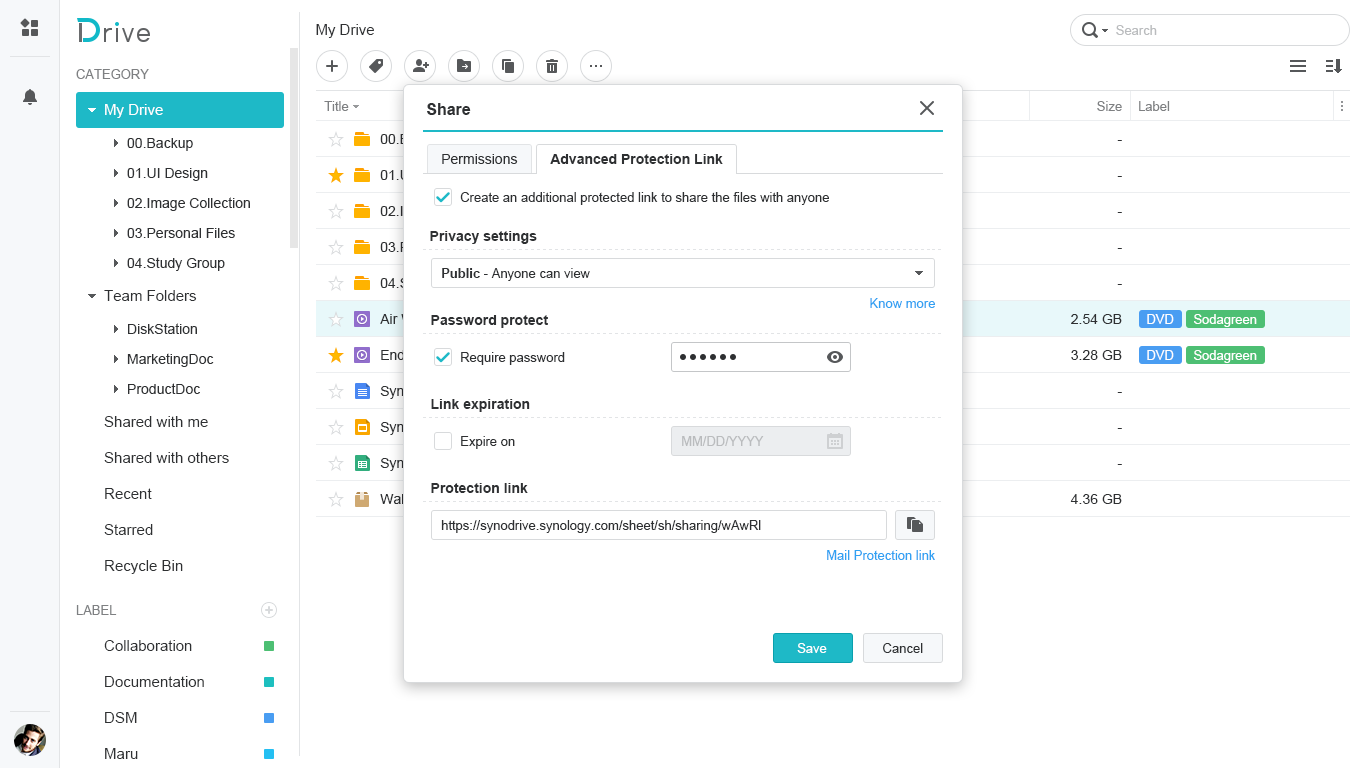
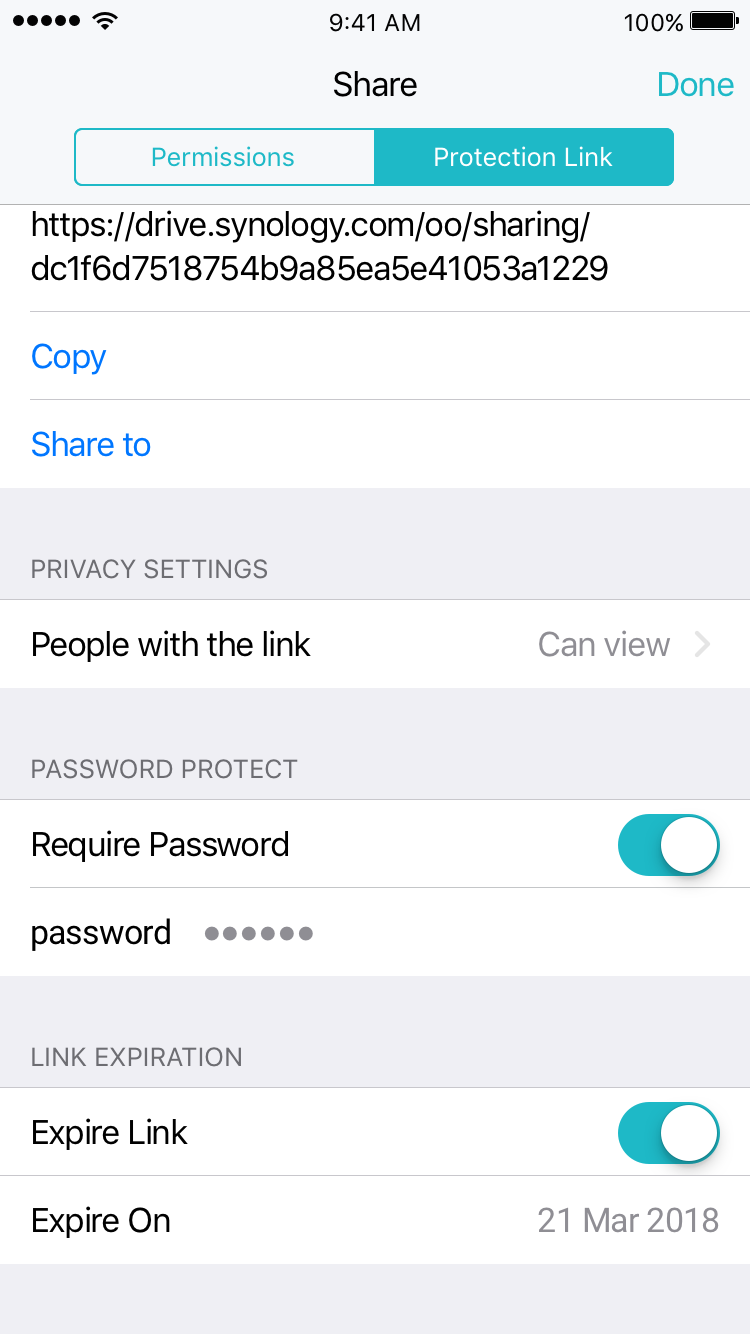
1. Protection link2. Back up files3. Offline accessOutcome
Takeaway

Overview

Synology Drive is the main user application to manage your files in a cloud storage platform. When I joined this project, there were only some basic functions because the product hadn't been released. Therefore, I delivered multiple cross-platform UX designs about the web, desktop, and mobile apps until the new big update was released, making it meet the various file sharing and backup needs of home users and business users. At the same time, we greatly improved the existing user experience.
Key Functions

Key Function 2

Back up files

Problem

Ransomware attacks or accidental deletion may cause important data loss.

My Approach

1. Competitor analysis

I surveyed user flows, design details and functions of 2 competitors, and discussed the scope and functional spec with the PM.

2. Learn from historical solutions

I studied the existing backup solutions of our web and desktop apps.

3. Design proposal

I crafted the design with user flows and wireframes and discussed them with the project team.

4. Delivery

I organized user flows, wireframes, and detailed interaction behavior, then delivered the UX design specs to developers.

ShowCase

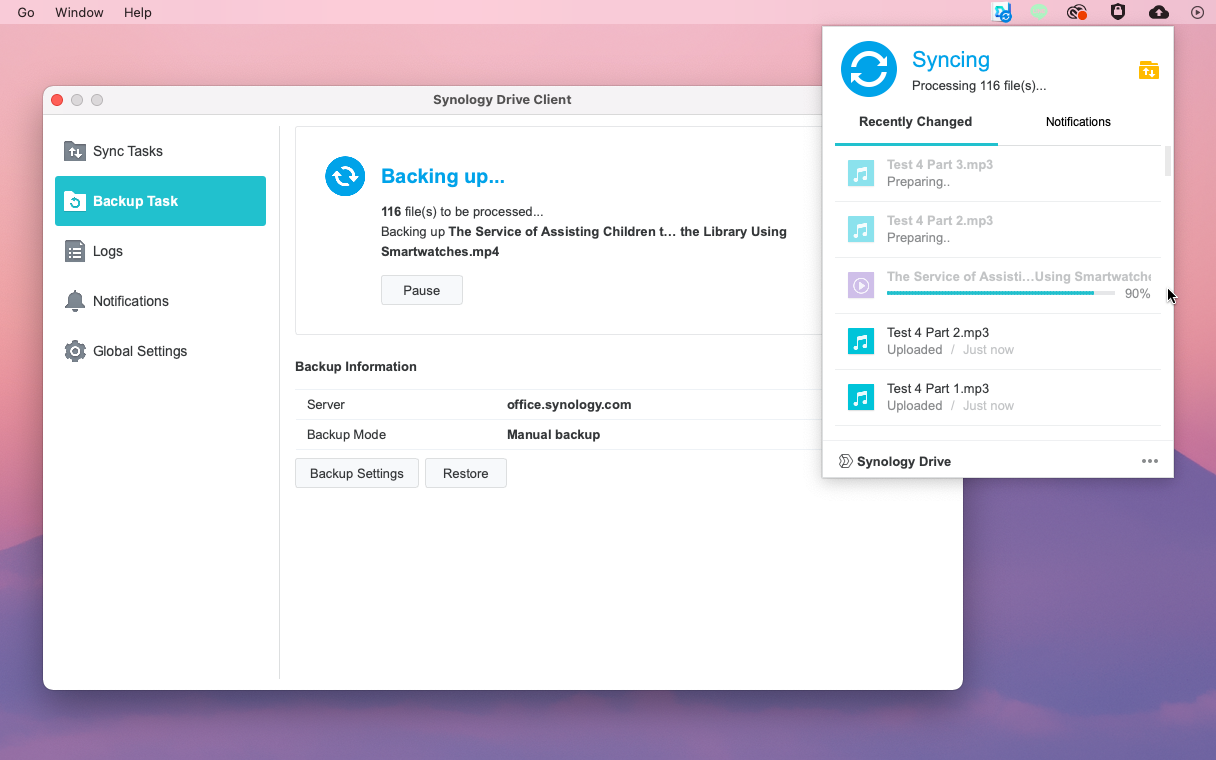
Backup files with the desktop app

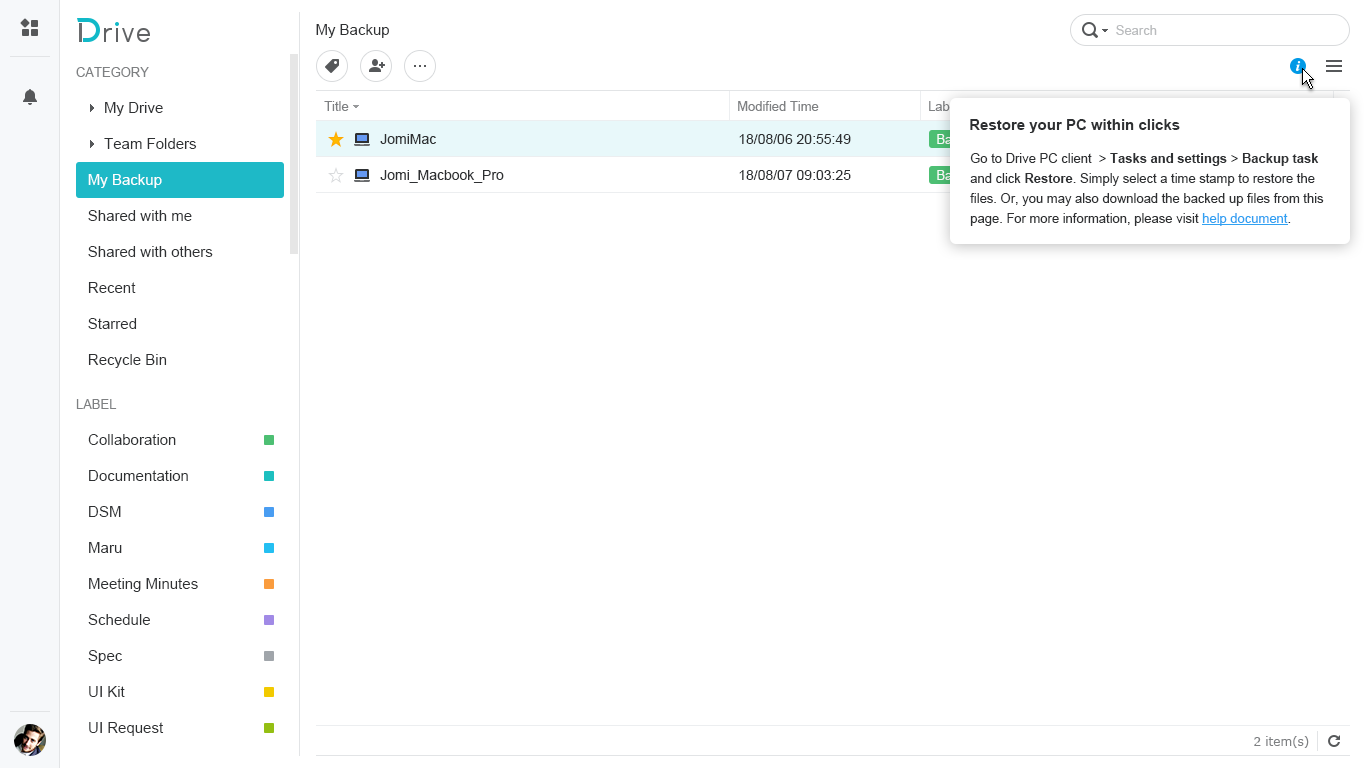
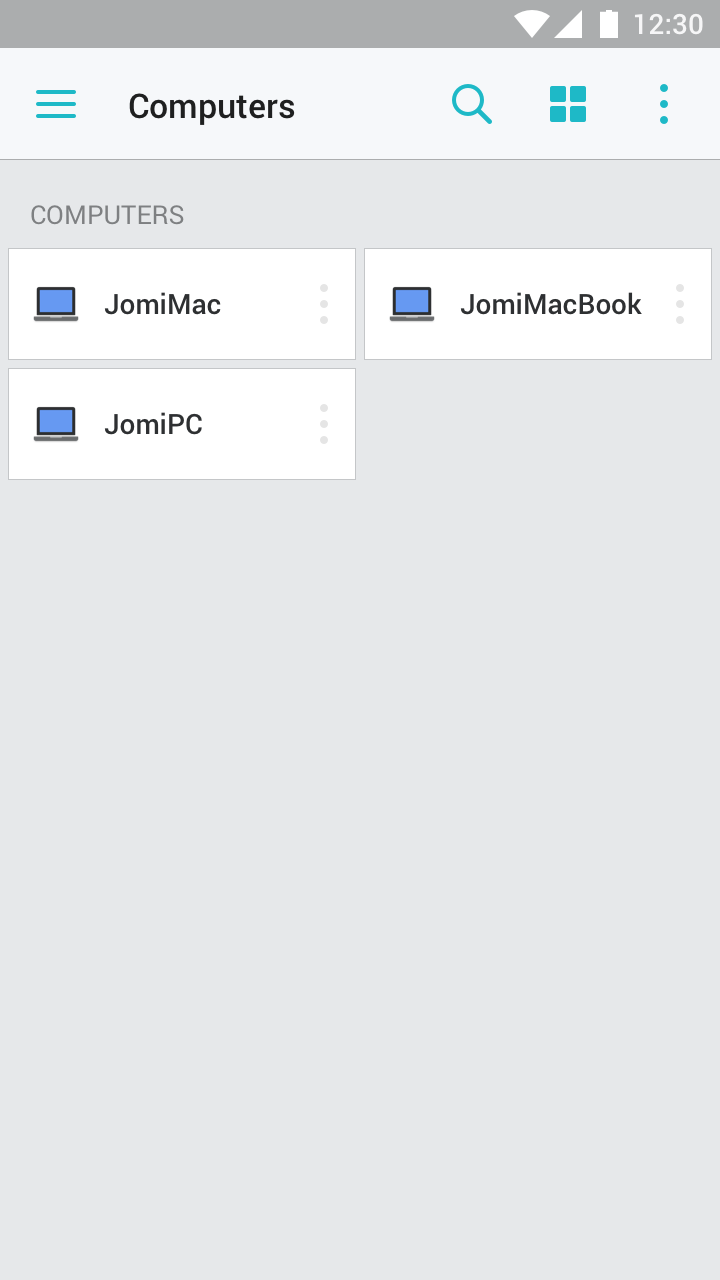
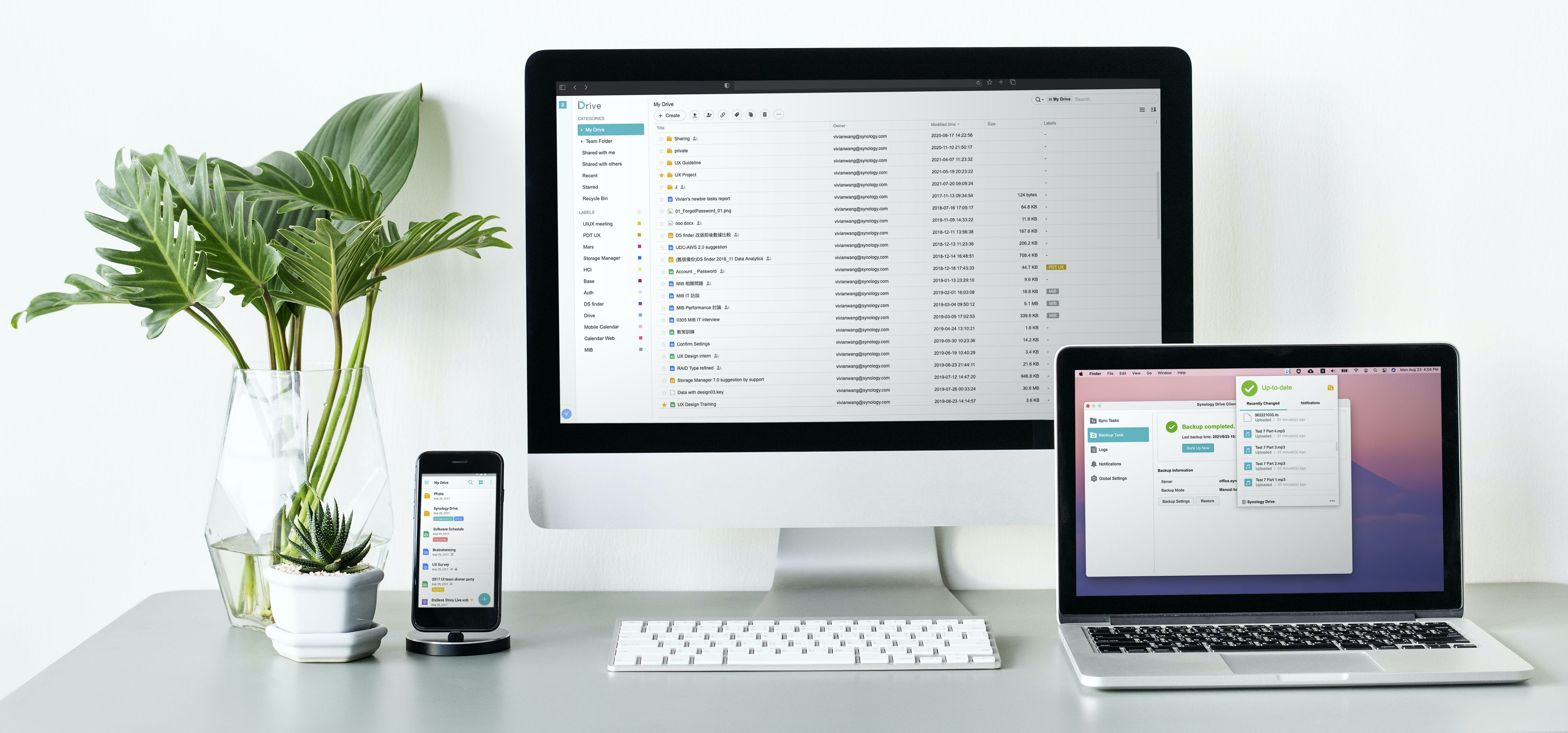
Protect your data with the options for real-time, scheduled or manual backup. Users can access the file using cross-platform devices.

Desktop App
Web App
Mobile App
Key Function 3

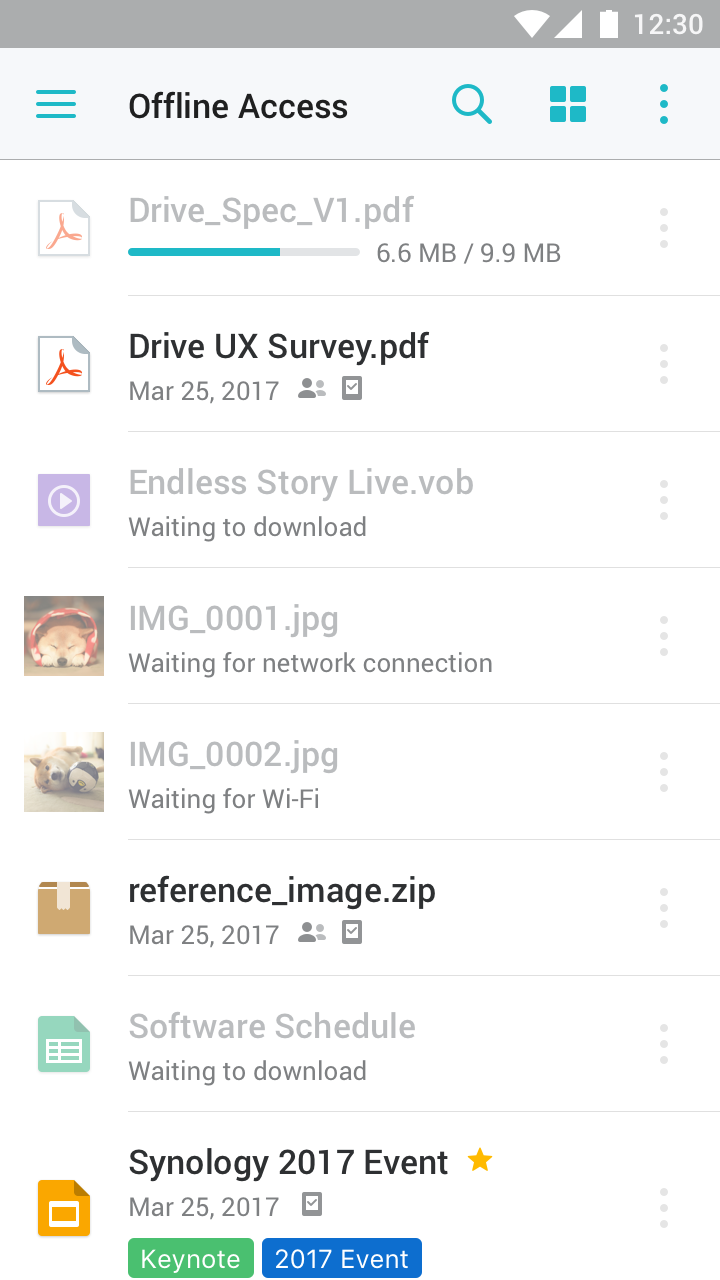
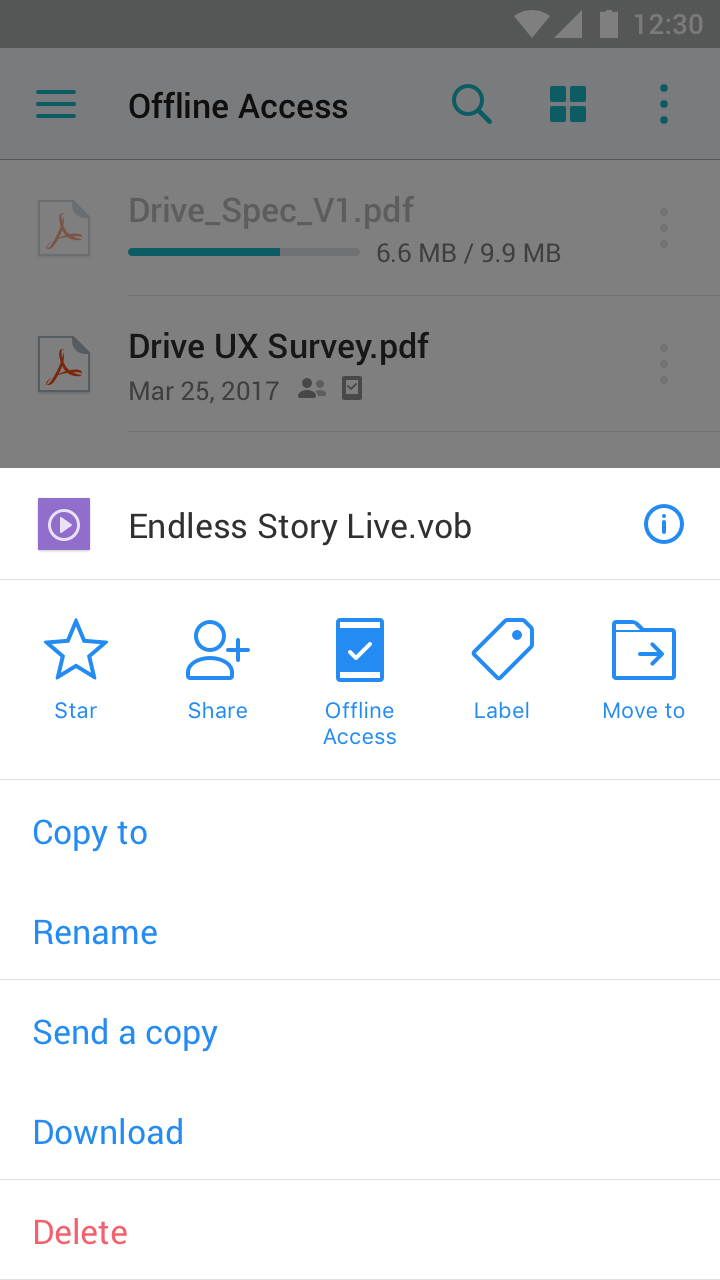
Offline access

Problem

When there is no network available or if the network is unstable, users cannot access important files in real-time with mobile devices.


My Approach

1. Competitor analysis

I surveyed user flows, design details and functions of 2 competitors, and discussed the scope and the functional specs with the PM.

2. Design proposal

I crafted the design with user flows and wireframes and discussed it with the project team.

3. Delivery

I organized user flows, wireframes, and detailed interaction behavior, then delivered the UX design specs to developers.

ShowCase

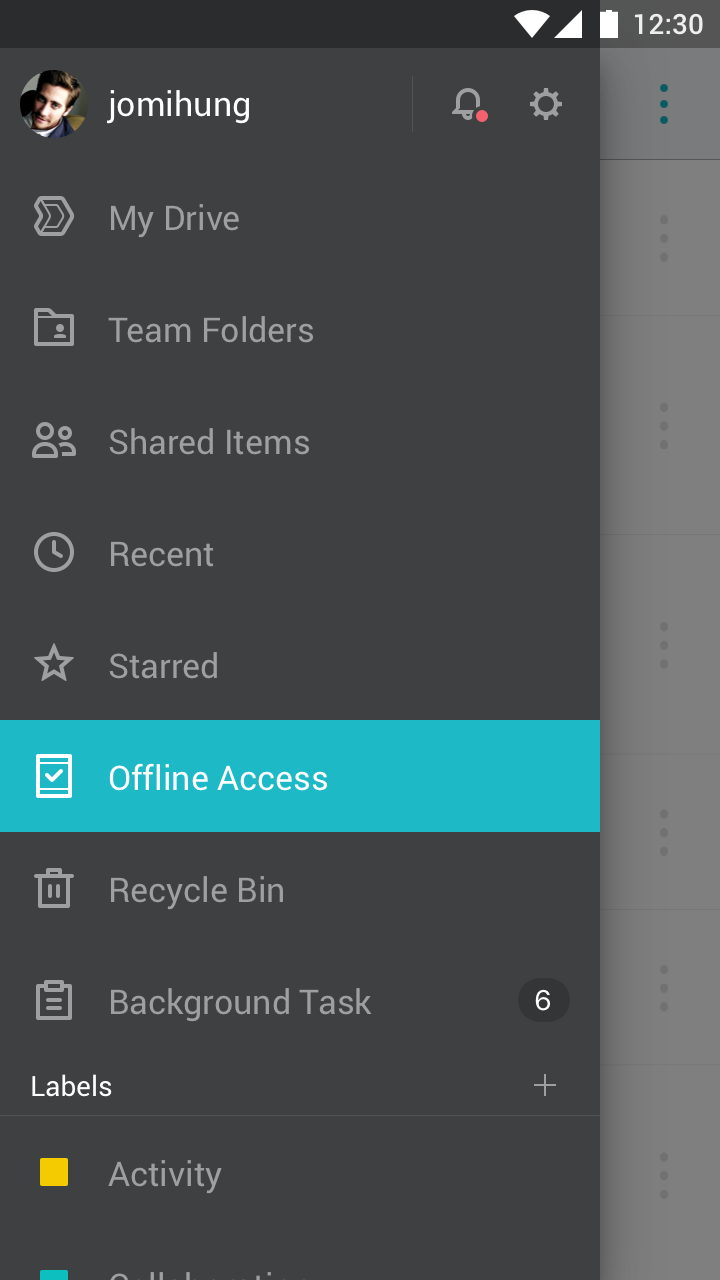
Access the file anytime even when offline

Getting on a flight? Change your files to offline-access so you can still check them on your phone.

Outcome

4M

users downloaded in 6 months

2

successful customer stories

Business Customer Stories

Takeaway

Became familiar with the designs of different devices and platforms

The design in the project covers a wide variety of devices and platforms. I have learned from many design guidelines - Google material design, iOS design, Windows, Mac OS, and Linux, and implemented them into the product. In addition, I organized some friendly designs to expand upon and improve the design guidelines of our products.

Made the product developer efficient

I quickly verified the design and clarified the requirements by conducting usability tests and interviews. This allowed problems to be found in the early phase of tests and made the product more developer efficient.

Next Project

Monetizing Collaboration in AppFlowy Enterprise

Permission structure, admin panel, and upgrade flows for the first enterprise plan.

View Case Study ->

Back to Home Page