A Better Login Experience
Weak or reused passwords threaten the security of your cloud storage device. Complement or replace them with simpler yet secure methods of signing in.
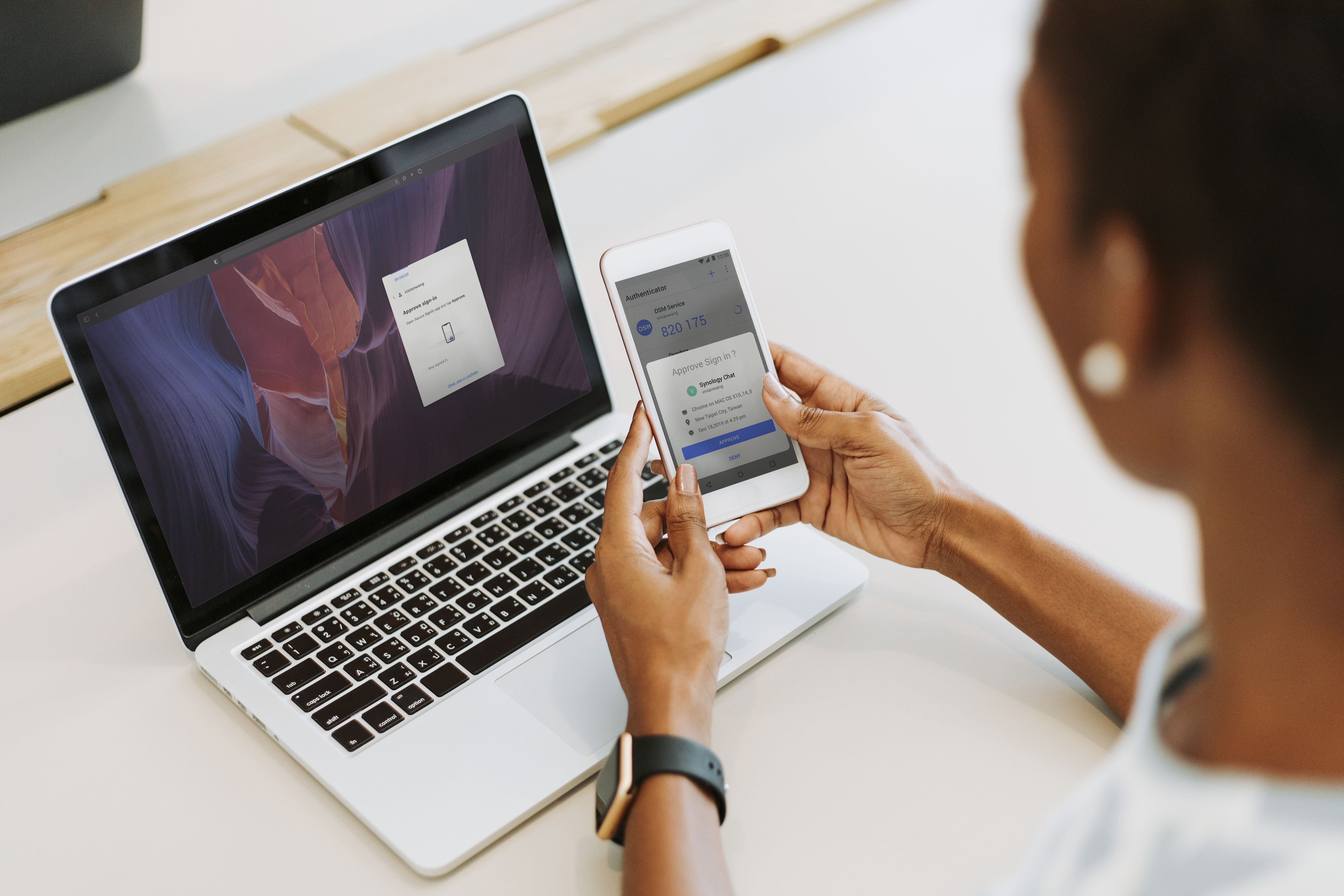
According to the research, 61% of information security leaks come from password penetration (Data Breach Investigations Report, Verizon, 2021). To help users improve account security, Synology has provided a traditional two-factor authentication method (OTP code). As many as 25% of our users enabled two-factor authentication in 2018, which is much higher than we expected.
Although 2FA enhance account security, it also increases the complexity of the login. With the evolution of technology, the latest FIDO2 network authentication allows people to simply log in with a hardware security key or biometric device. Taking this as an opportunity, we began to think about how to apply the latest technology to provide Synology users with more security and a more convenient login experience.
Tier 1. Basic Level Security: Passwordless sign-in
As a user, I want to have a fast sign-in method, so I can access my NAS quickly.

1. Enter Account

2. Approve sign-in / FIDO2 devices - Biometric devices (e.g. Fingerprint on Mac), Hardware security key

3. Login successfully!
Tier 2. High Level Security: Two-Factor Authentication (2FA)
As a pro user, I want a more secure and simple sign-in method so I can save time and use the NAS with peace of mind.
1. Enter Account

2. Enter password
3. Approve sign-in / FIDO2 devices - Biometric devices (e.g. Fingerprint on Mac), Hardware security key
4. Login successfully!
First, I studied the background and technical terms of FIDO2 technology (an online authentication service) and passwordless sign-in to coordinate with the team members.
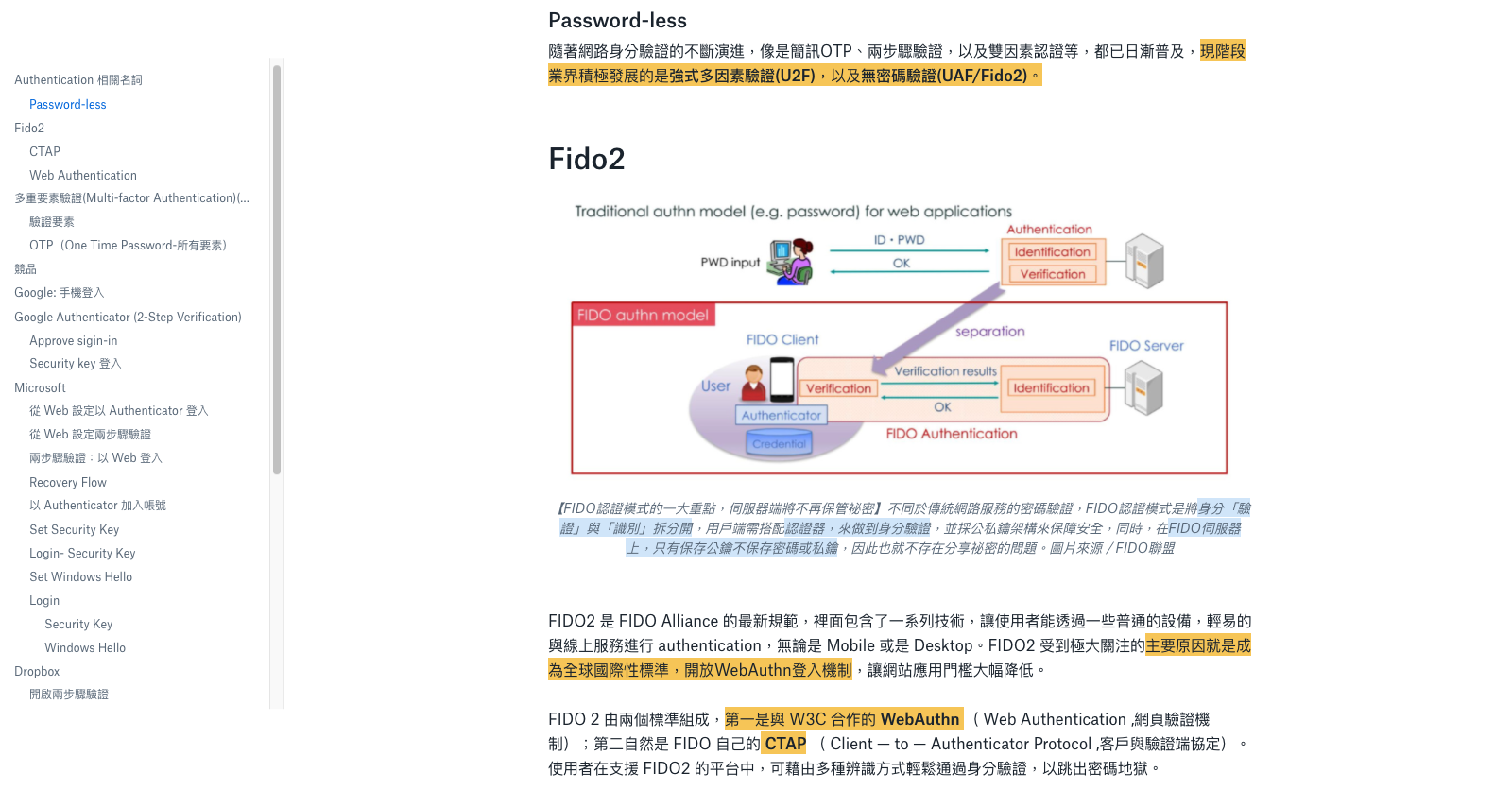
I studied competitors (e.g. Google, Microsoft and Dropbox) with similar functions, and tried their login experience with FIDO2 devices (e.g. Fingerprint on Mac ID, Windows Hello, or hardware security key). Then, I analyzed competitors' detailed user flows and designs, summarized and introduced them to my team members for UI design and functional specification as a reference.
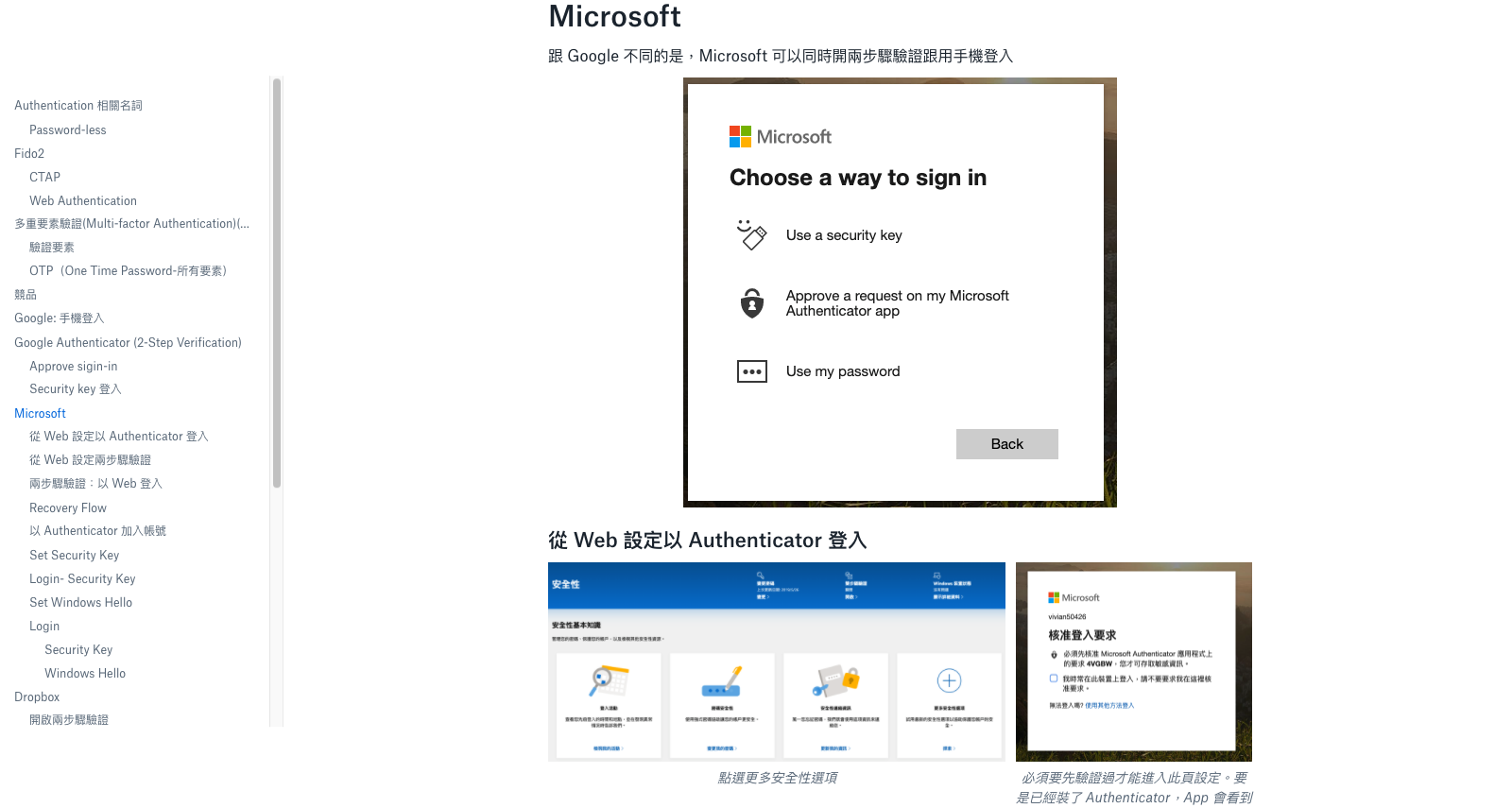
The scope of design covers web and mobile applications. I began with a web application that is capable of managing all login methods. After confirming the concept, I can split different sections of the user flow for design, and deliver them to the team members.
Before the project started, we had two-factor authentication service with a One-Time Password (OTP). My goal was to design a login management page that can fit the needs of users. I proposed and refined my design with my team. To understand the user feedback, I planned to host guerrilla usability tests.
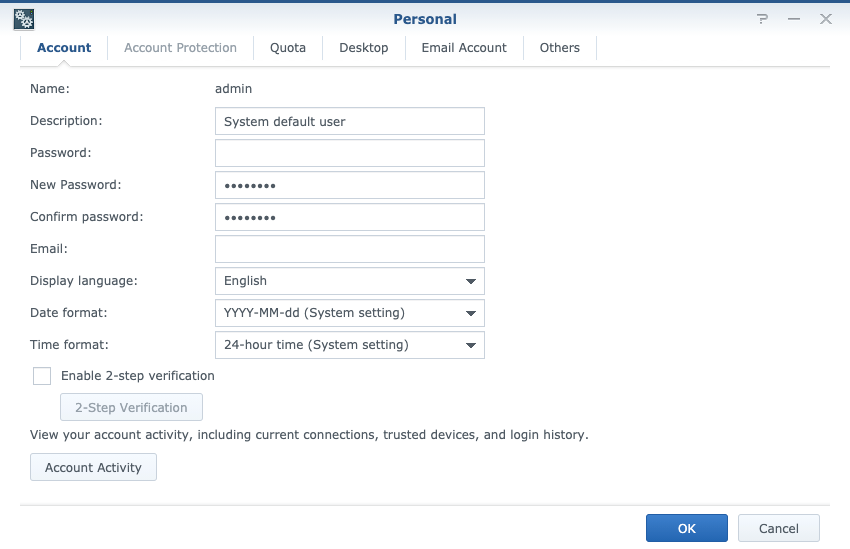
I turned the wireframe into a prototype and refined the repeated problems according to the following testing results. Finally, I hosted 8 guerrilla usability tests and made 3 rounds of design iteration in one week.
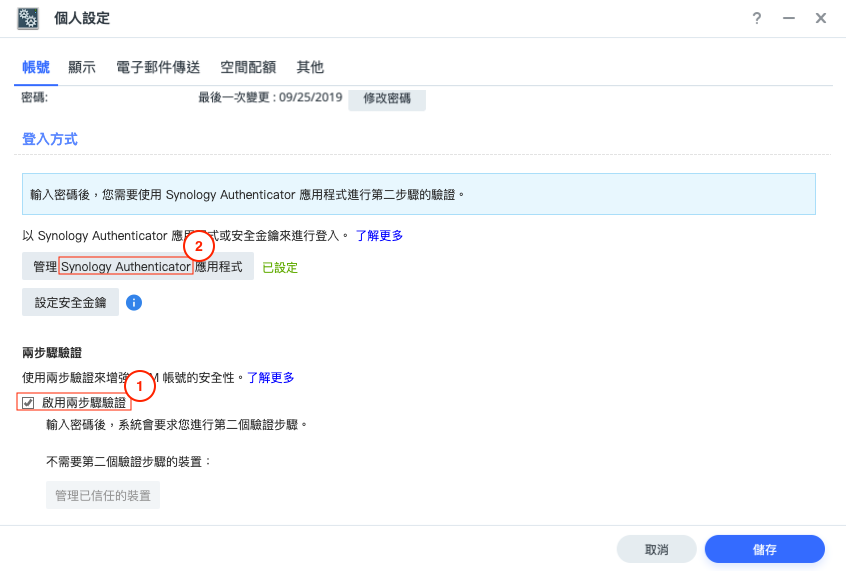
I conducted 4 tests and found the problems listed as below:
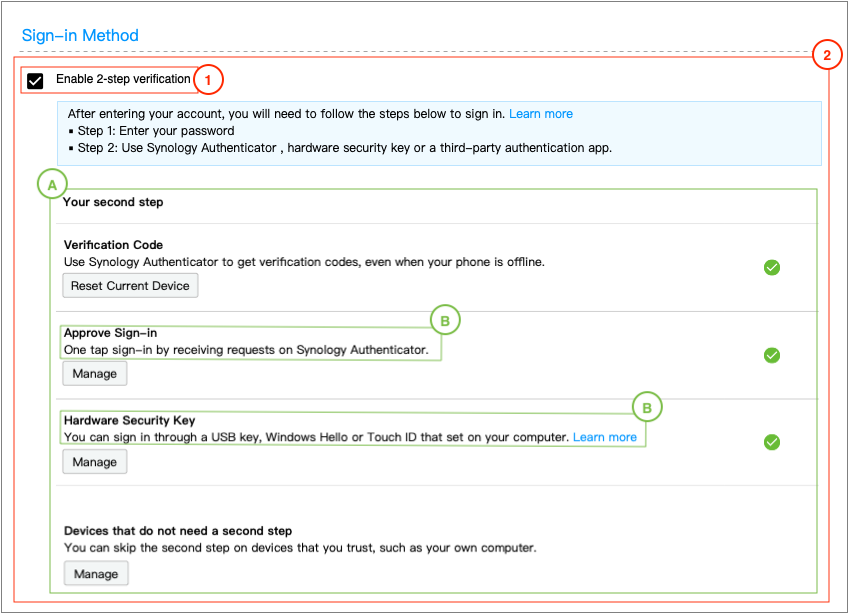
Version 1 's design changes:
A. Changed the design layout
B. Changed the terms and added descriptions
I conducted 4 tests and found the problems listed below:
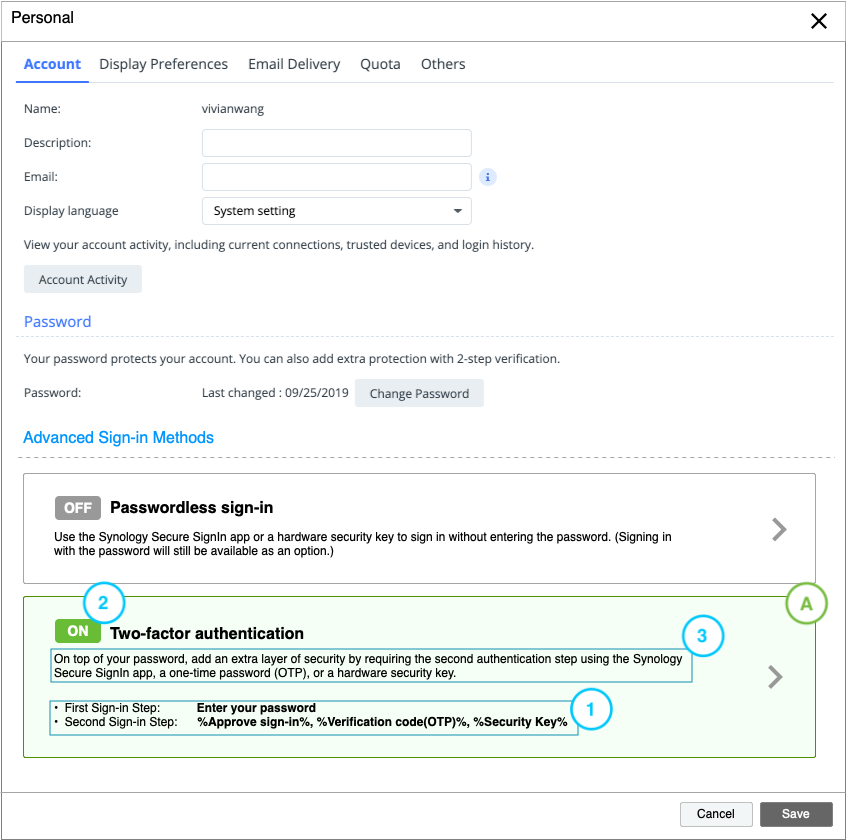
Version 2 's design changes:
A. Split detail settings into different pages to make the layout look simpler.
Design Details:
After confirming the design concept, I split it into different tasks of website and mobile apps and delivered UX documents including user flows and wireframes to the team members.
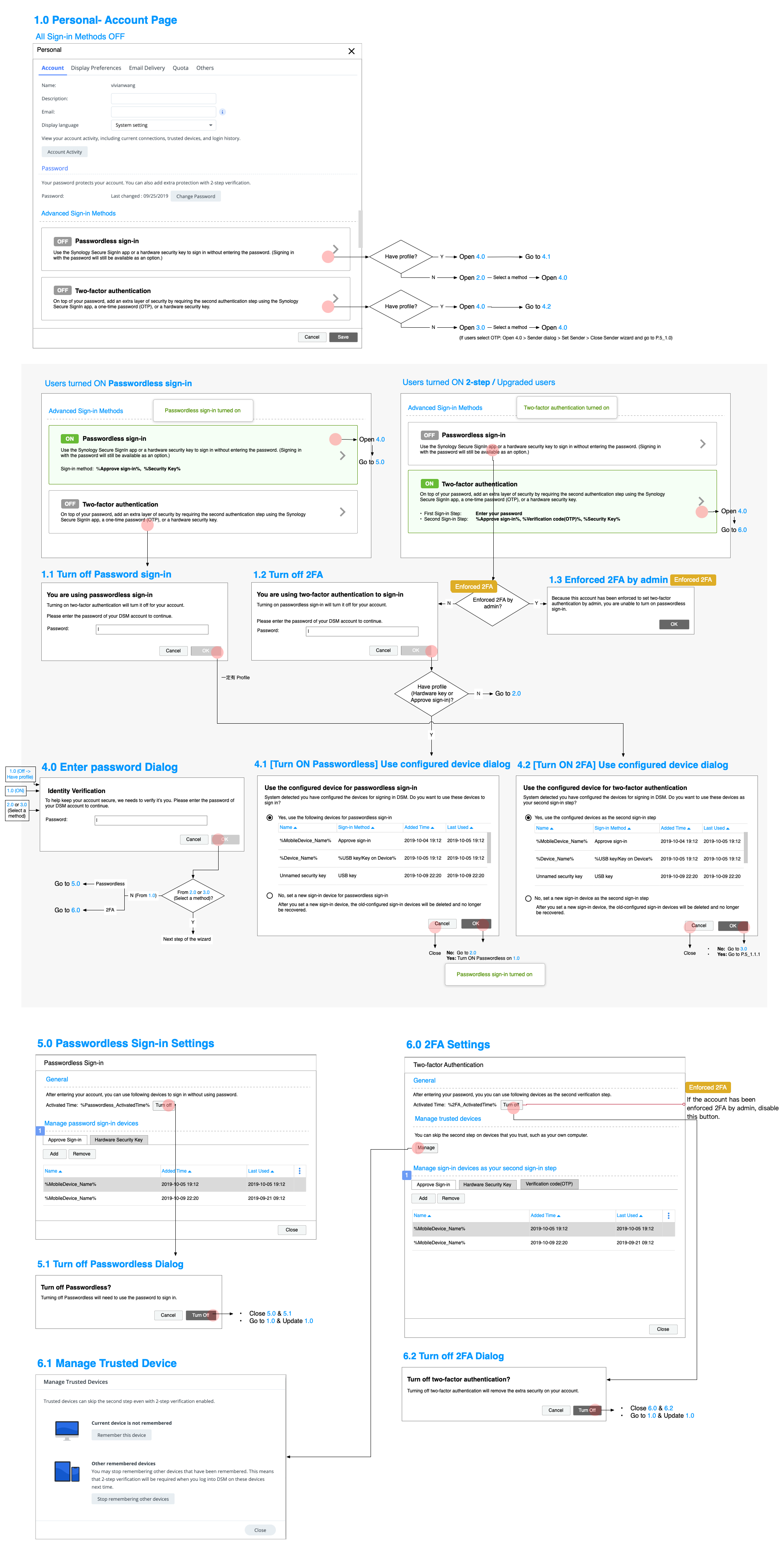
Manage sign-in methods
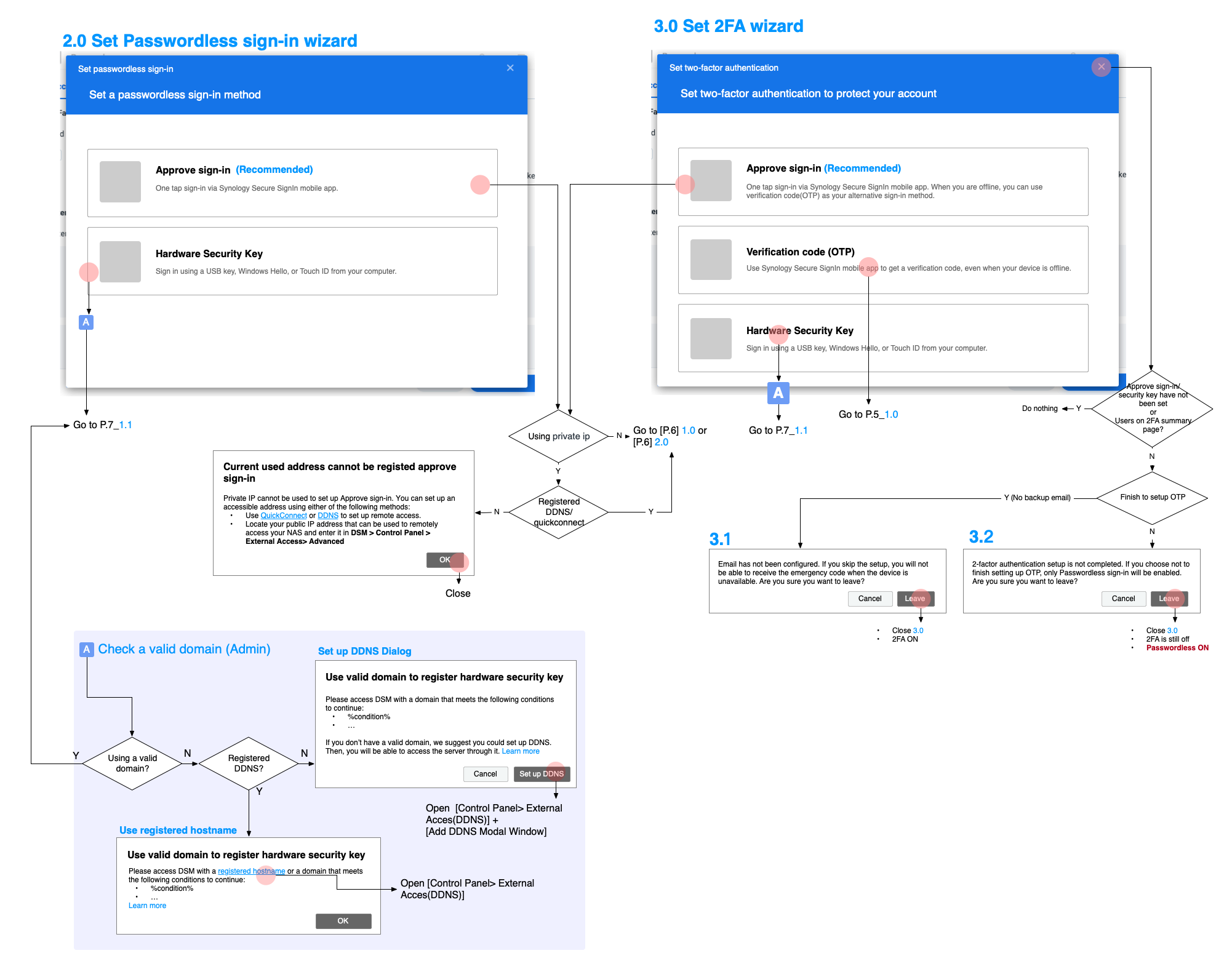
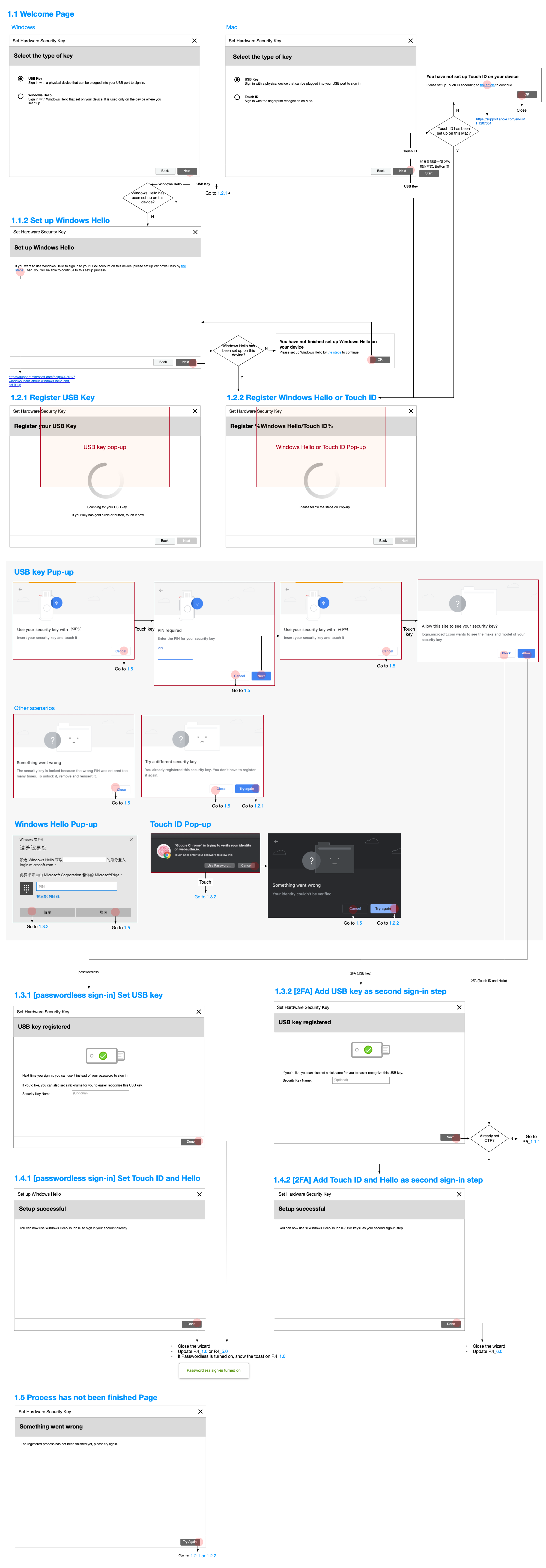
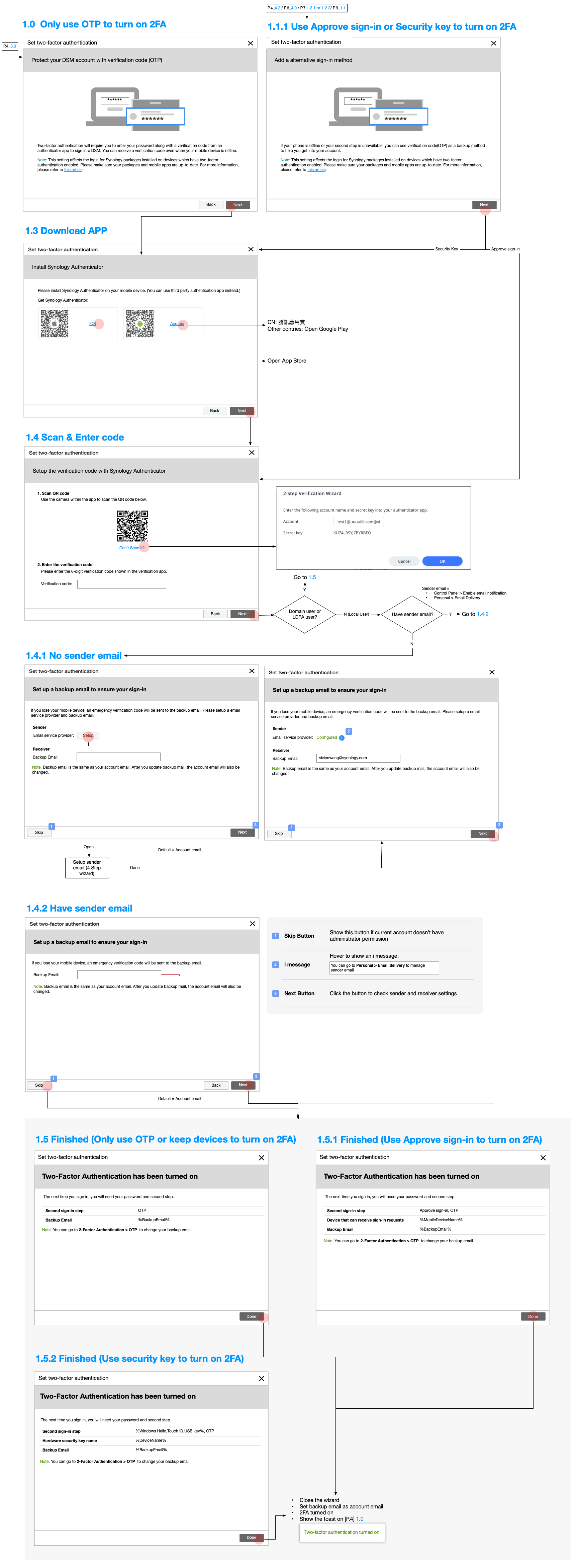
Set sign-in methods
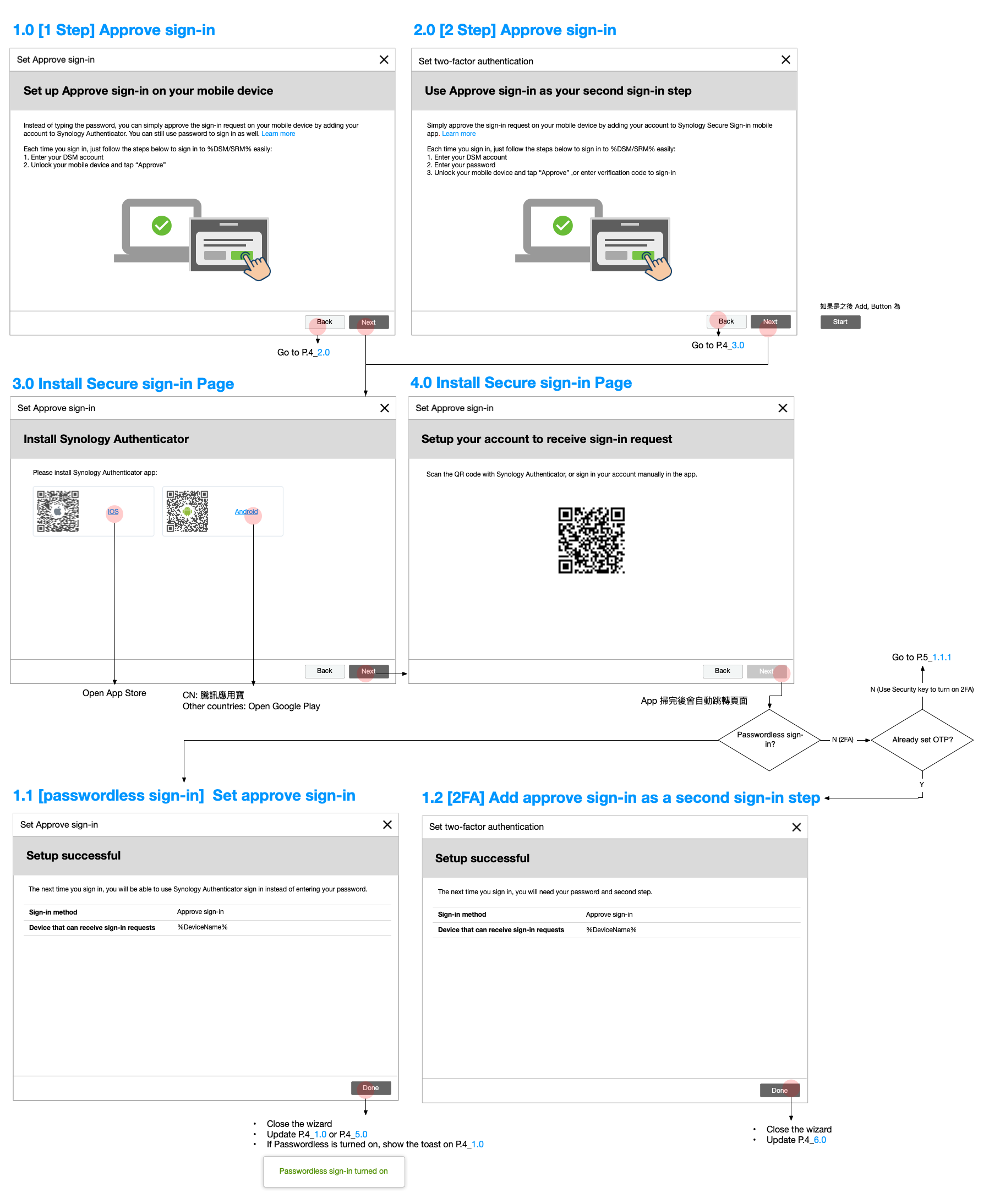
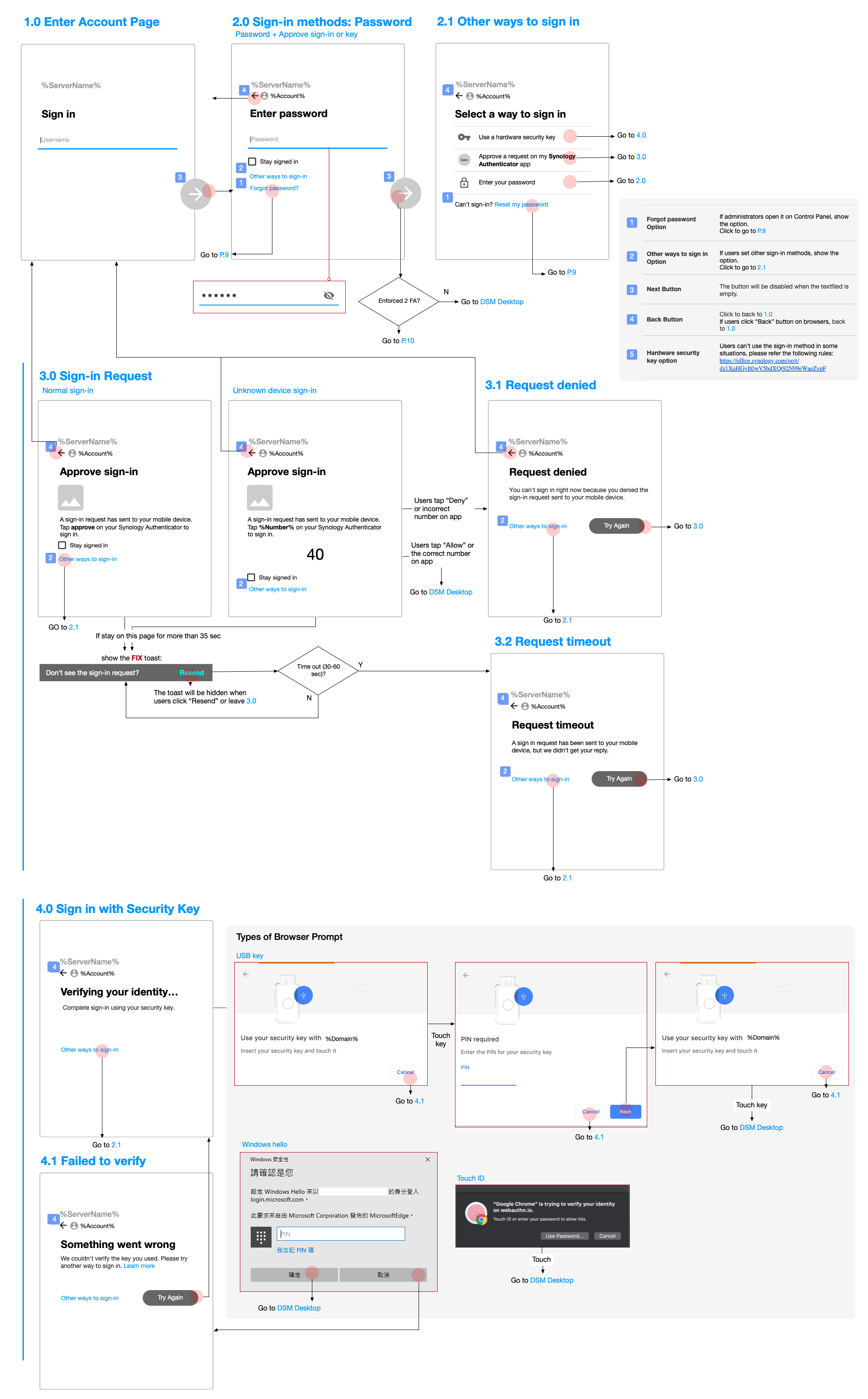
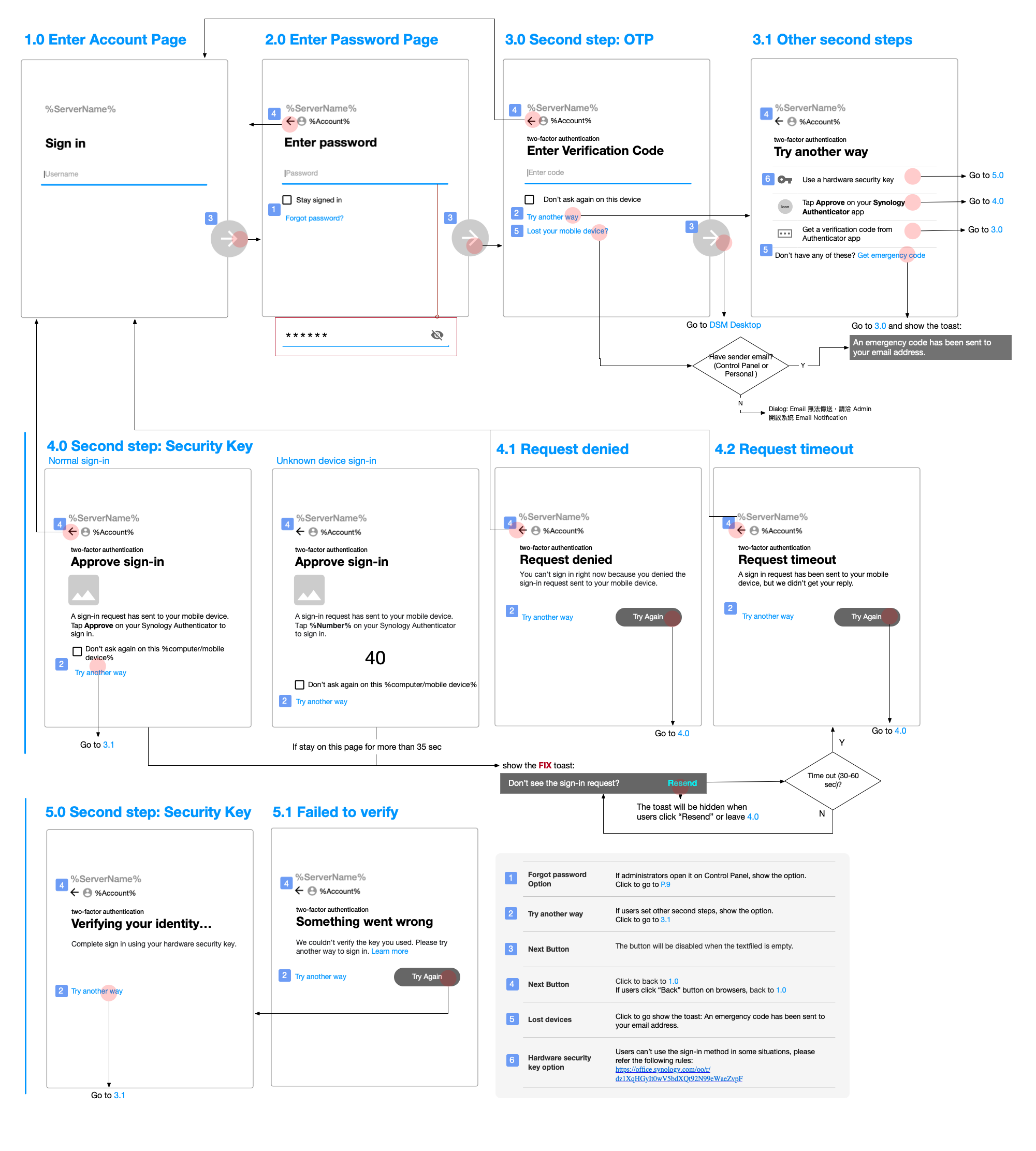
Sign in to server from Web
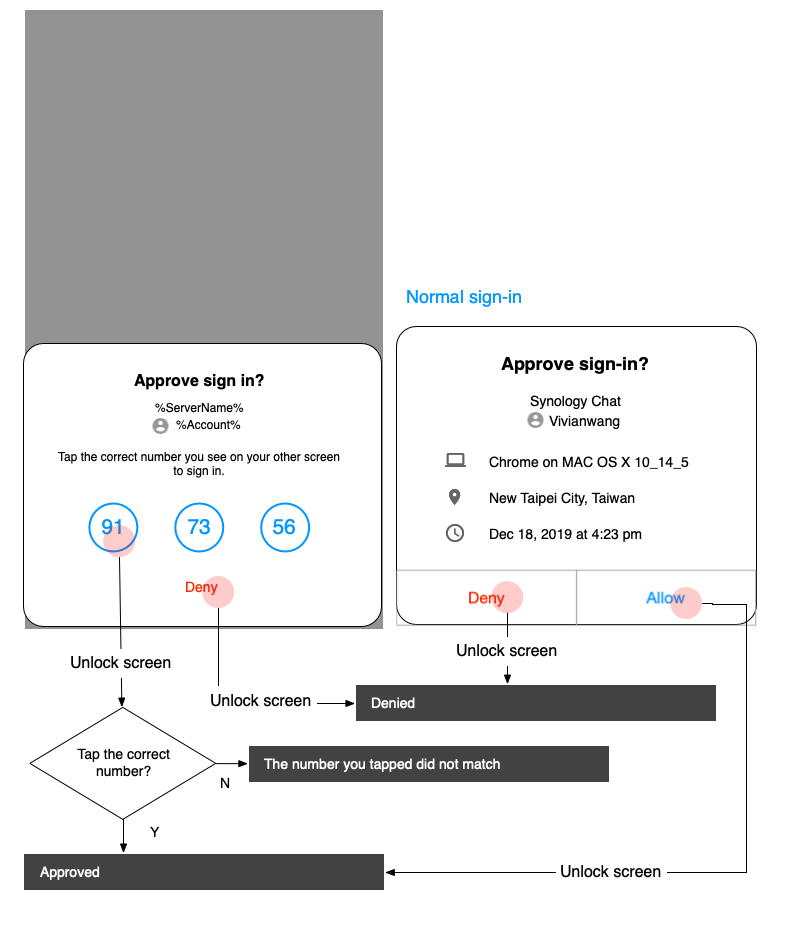
Approve sign-in request on the app
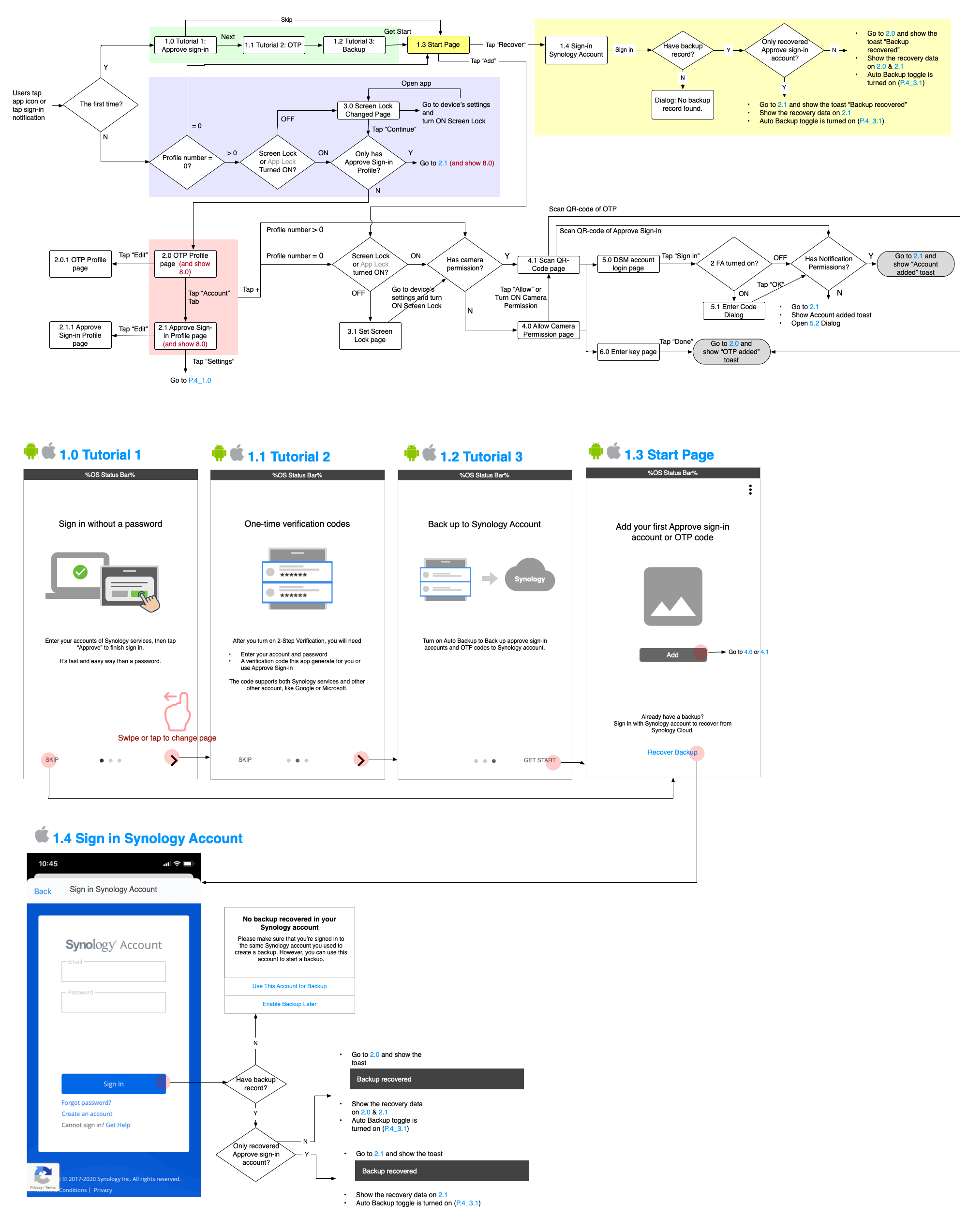
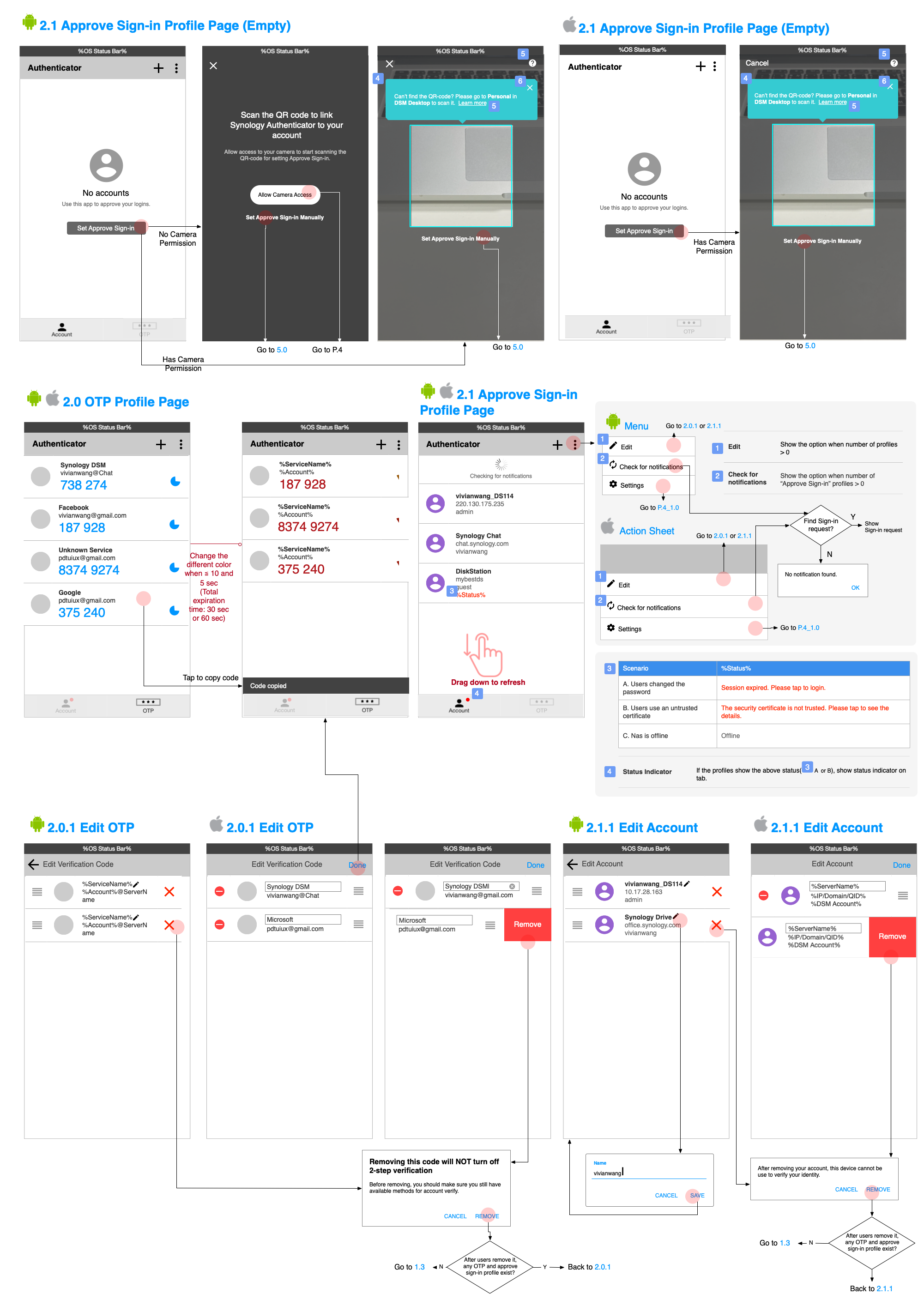
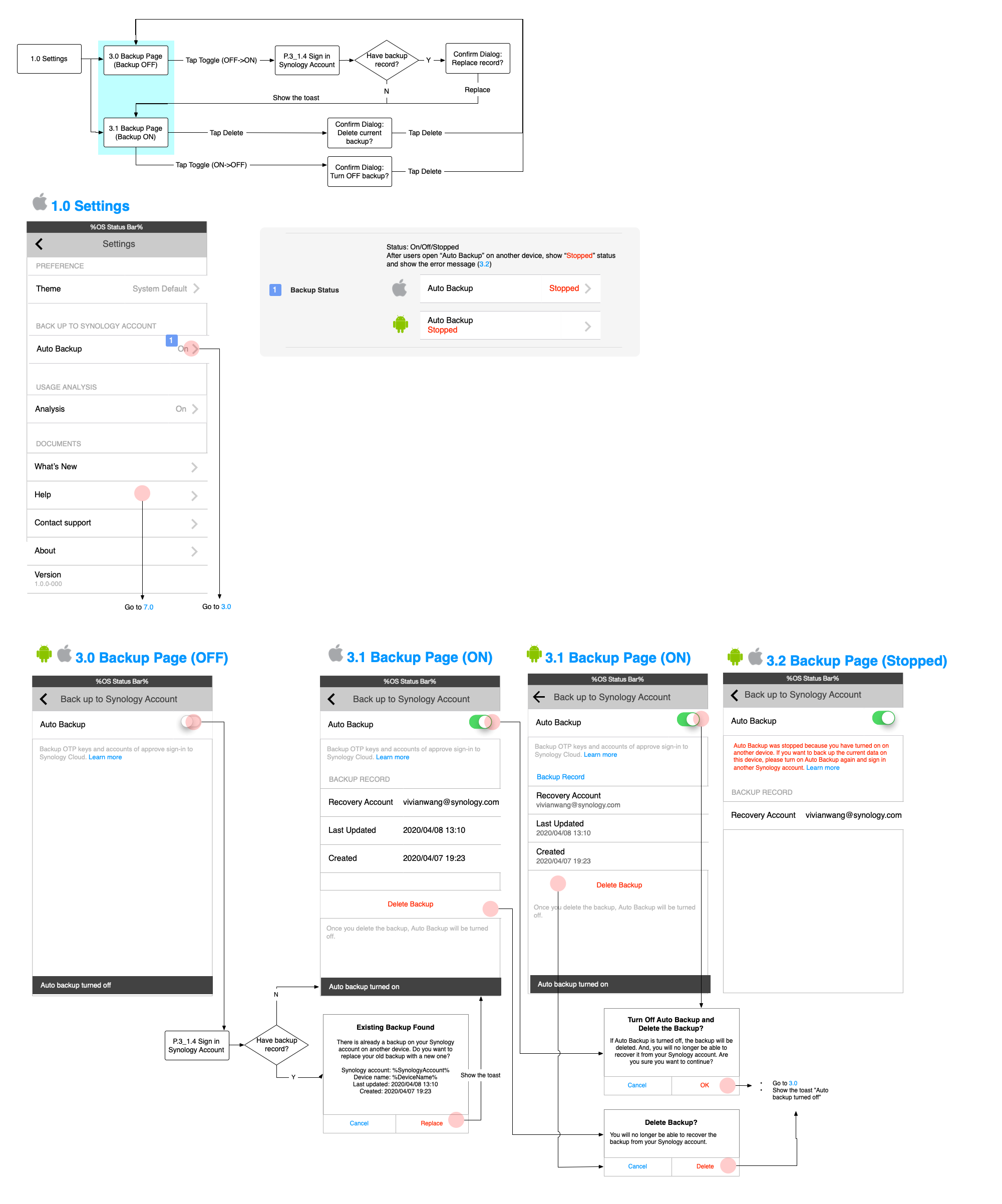
App Overview
After I delivered the designs, I planned formal usability tests for the whole sign-in service to collect user feedback.
I managed the schedule and worked together with developers and writers to complete the test version of web and mobile applications. Due to the time limitation, I planned to host 6 usability tests in two weeks.
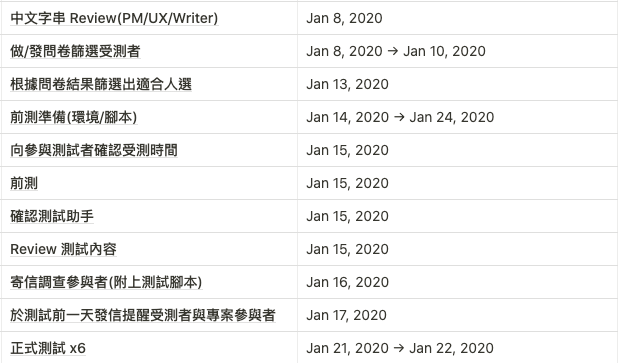
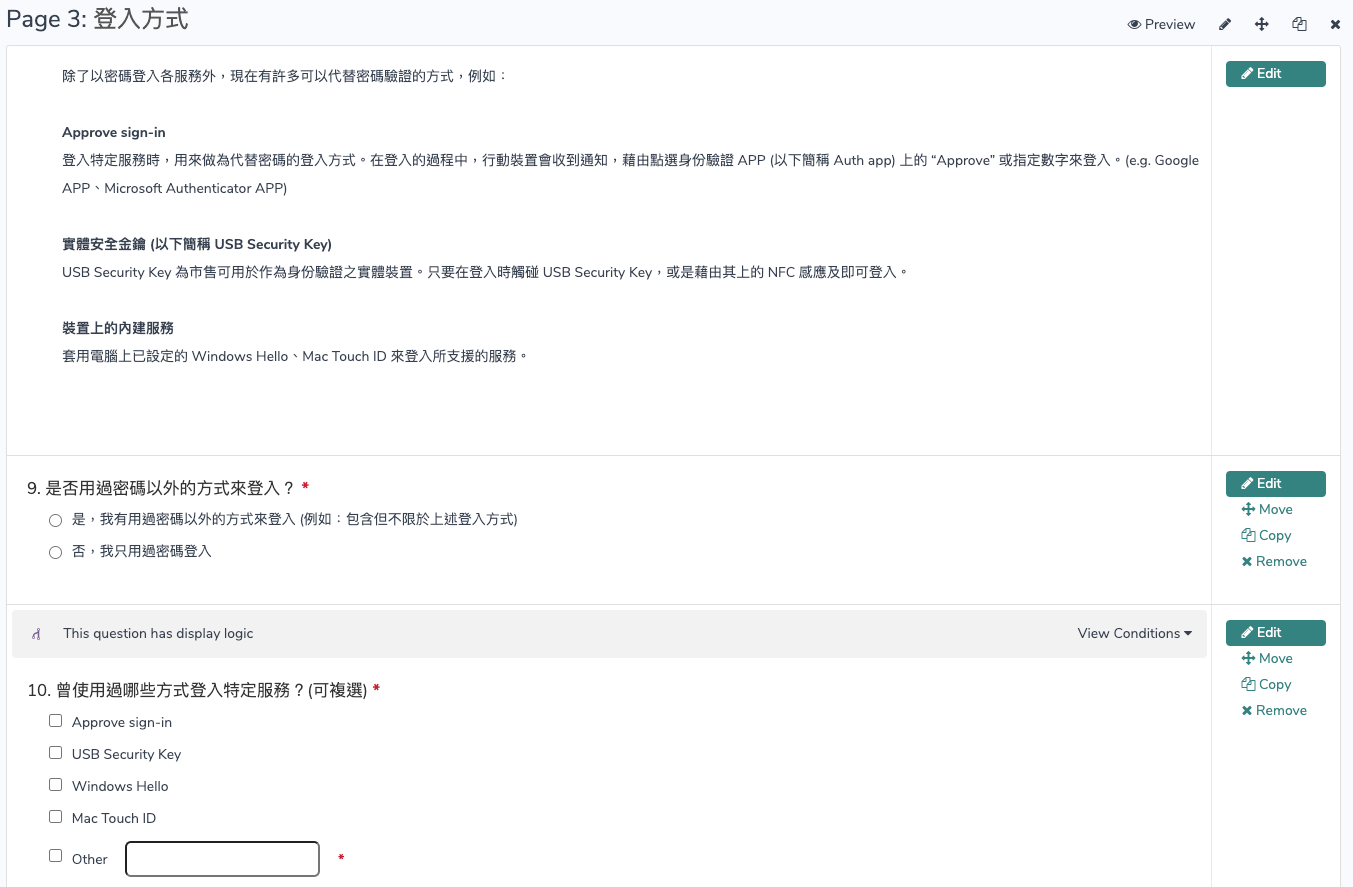
I planned the usability test with test scripts and questions. Then I sent questionnaires to recruit and filter the subjects with and without experience in using a competitors' app.

When I conducted tests in the interview room, the rest of the project members recorded usability issues in an observation room. After each usability test, all project members recorded the top three usability issues on post-its and we categorized the same issues into groups.
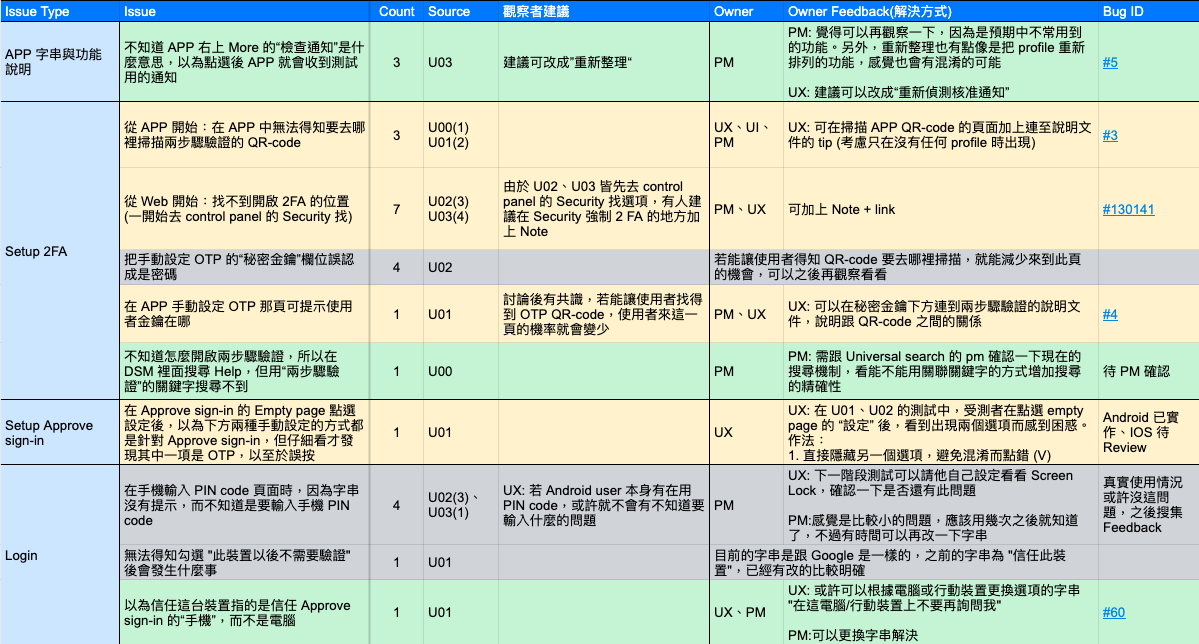
Recorded issues come from string and design. The strings were revised by the writer after our discussion. The main problems of the design are as below:
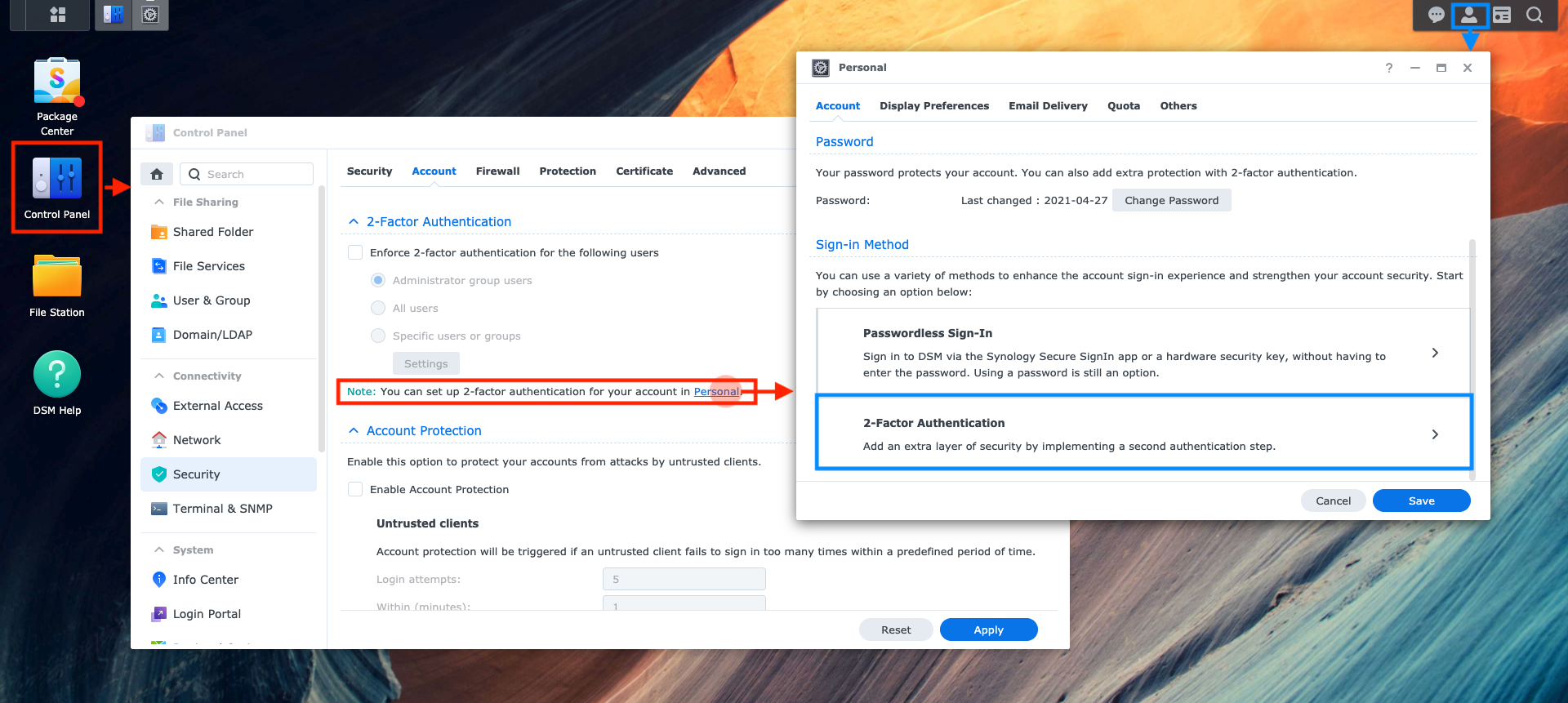
Most subjects check the Control Panel (which can be accessed only by system administrators) instead of the Personal Settings for two-factor authentication because they are familiar with the role of system administrators for daily use. Therefore, they took a while to find it out on the Personal Settings.
Design Change: Added a tip on the Control Panel to guide users that they can go to the Personal Settings to set up two-factor authentication.
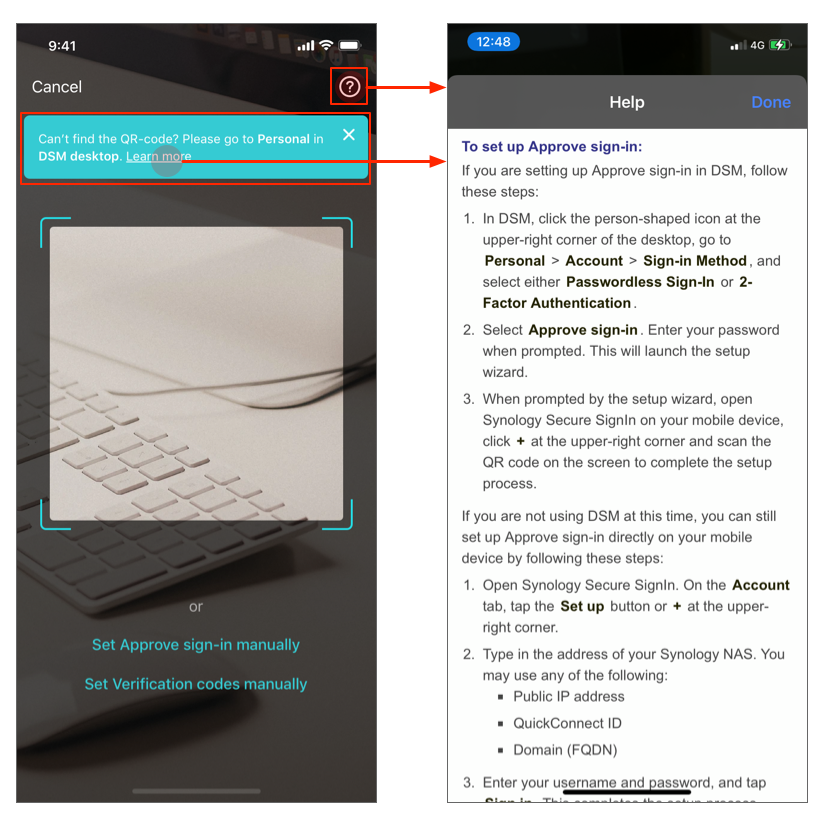
When subjects want to set up Approve sign-In, they don't know where to find the QR-code to scan. I added a tip to the app to guide users to the location of the QR-code. Even if they forget where to scan it in the future, they can still click the Help icon to view the details.
Design Change:
We achieved about a half adoption rate, well in excess of the company’s expectations. The app accomplished 4.6 stars from the App Store within 3 months, successfully integrated a good login experience into Synology’s services. Moreover, we have received positive feedback from many users.
Just one tap to approve a sign-in request on your smartphone or tablet then you can log in.
After entering the account and password, using one tap to approve your login instead of a complicated one-time password(OTP).
In addition to using the Secure SignIn app, you can also add a biometric device (e.g. Fingerprint on Mac, Windows Hello), a hardware security key, or a one-time password (OTP) to log in.
If the mobile network is unstable and cannot receive the Sign-in request, you can also log in with a traditional one-time password (OTP).
Whether you choose to log in quickly without a password or turn on two-factor authentication to enhance the security of your account. Just follow the instructions and you can complete the Approve sign-in, biometric devices and OTP settings in seconds.
Quickly manage your sign-in methods and devices for passwordless sign-in or two-factor authentication.
Concise and easy to understand onboarding, and customized design, such as hidden OTP code, dark mode. All features are designing to meet different customer needs.




During my discussions with the team members, they always wanted to know the details about error handling cases. To avoid spending too much time dealing with extreme cases, I evaluated whether to handle it by considering the rationality and frequency of user scenarios. I saved a lot of time for discussion details by clarifying extreme user scenarios.
The project scope covers web and mobile services, so I needed to organize many flows and wireframes. For smoother communication, I want to deliver easy-to-read design specs. I asked engineers feedback and continued to improve on it. Finally, I revised positive feedback and implemented it in other projects.