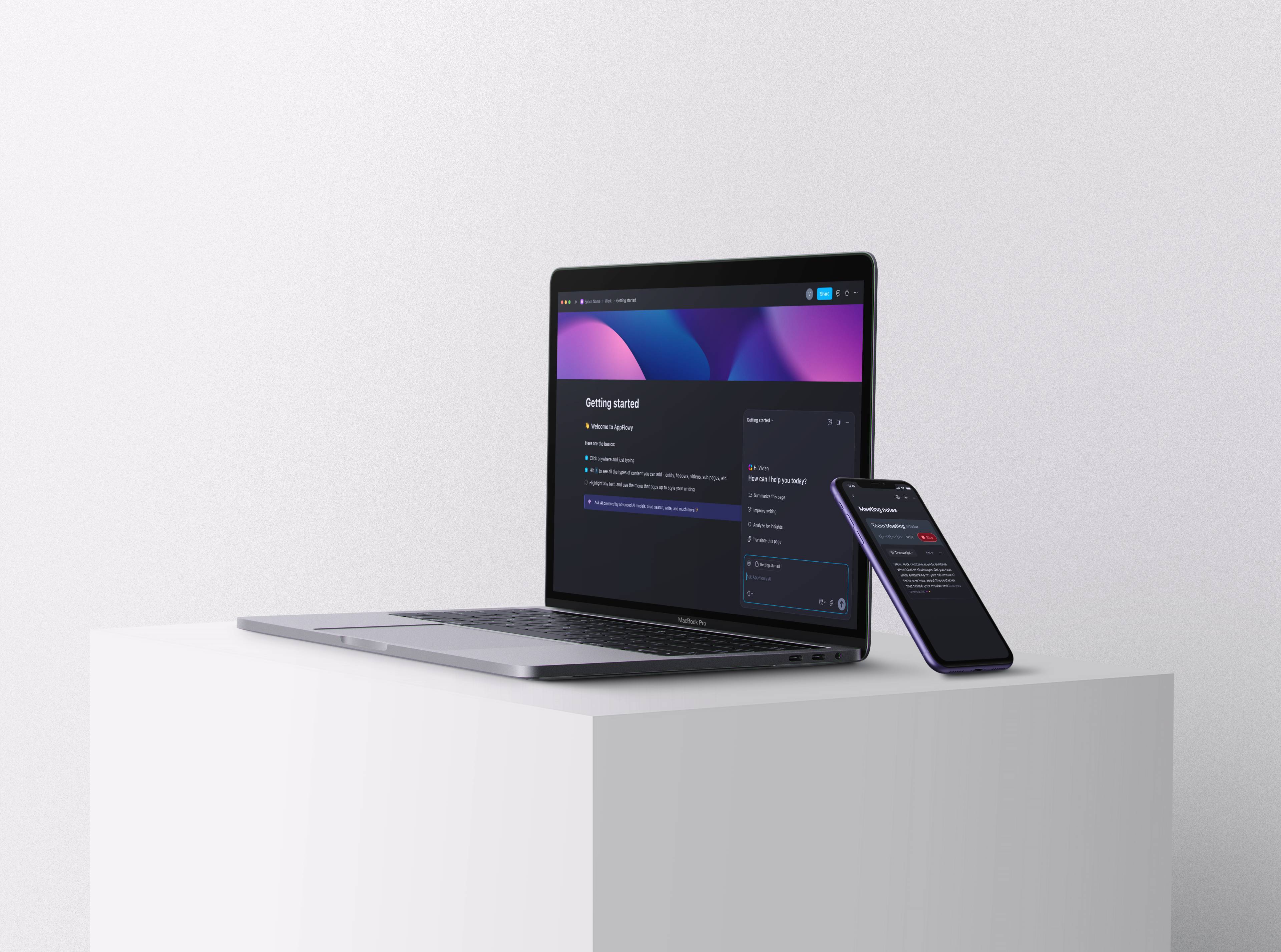
AppFlowy AI

AI-powered meeting, writing, and chat to keep users within AppFlowy.
Project Type
Collaboration workspace
duration
01/2025 – 12/2025
Team Members
CEO
Flutter Engineer x 2
Web Engineer
Backend Engineer
MY Role - Founding Product Designer
  • Defined AI product direction in partnership with the CEO, including which features to build, in what order, and how to connect them to the premium plan monetization strategy.
  • Led end-to-end design for AI meeting, writer, and redesigned AI chat experience.
  • Built scalable design system across platforms (desktop, web, and mobile app).
  • Engaged with 8K+ users across Discord, Reddit, and GitHub to drive continuous product iteration.
Impact
  • Drove 2.5× registered user growth (40K -> 100K), including a record MAU peak of nearly 2× by launching customizable AI response layouts and image generation.
  • Doubled AI chat usage by redesigning the AI chat experience.
  • Increased app rating from 3.7 to 4.8 by launching AI features and a scalable design system.
  • Launched a premium AI plan, creating a new revenue path.

Why AI for AppFlowy

AppFlowy is a collaboration workspace for privacy-focused individuals and small teams. When I joined, the product had around 40K registered users, but new users weren't staying. AI chat existed, but usage was low. It wasn't part of anyone's daily workflow.

Users were already feeling the gap. One user wrote on GitHub: "AI does not remember the context of the entire page... On Notion, AI works differently — it knows all the content on the page."

That told me the problem wasn't the feature. It was the workflow. Users were exploring AI tools outside of AppFlowy, switching context every time they wanted help with their documents. We were losing them to friction, not to competitors.

Our goal became clear:

Make AI a natural part of the workflow, so users never have to leave AppFlowy.
Strategy

The core diagnosis: AI was sitting beside the product, not inside it. To fix that, I mapped where AI could be embedded most naturally into existing workflows, not as a separate layer, but as part of how users already worked. I proposed the prioritization to the CEO: fix the AI chat experience first, build enough value to support an AI subscription plan, then expand from there.

  • AI Chat: broadest reach, redesigned to live inside documents rather than as a standalone panel.
  • AI Writer: in-context editing without switching tools, AI triggered from text selection, not from a separate interface.
  • AI Meeting Notes: more specific use case with a privacy advantage and a natural path to premium upgrades.

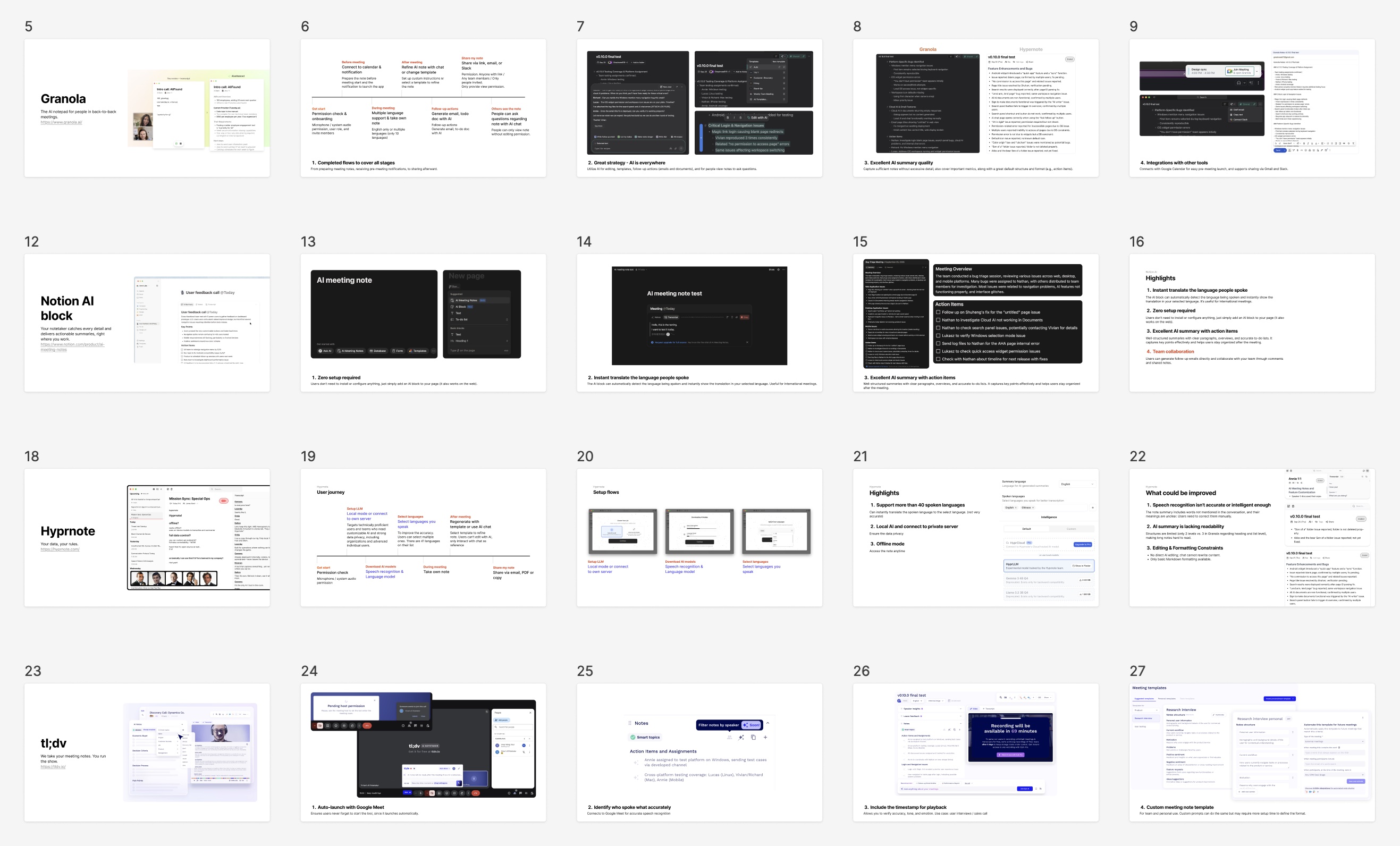
As we expanded into AI Meeting Notes, I ran a competitive analysis to identify workflow gaps and monetization opportunities specific to that use case.

Competitive analysis for AI Meeting Notes: workflow gaps and monetization opportunities

Deciding What to Build

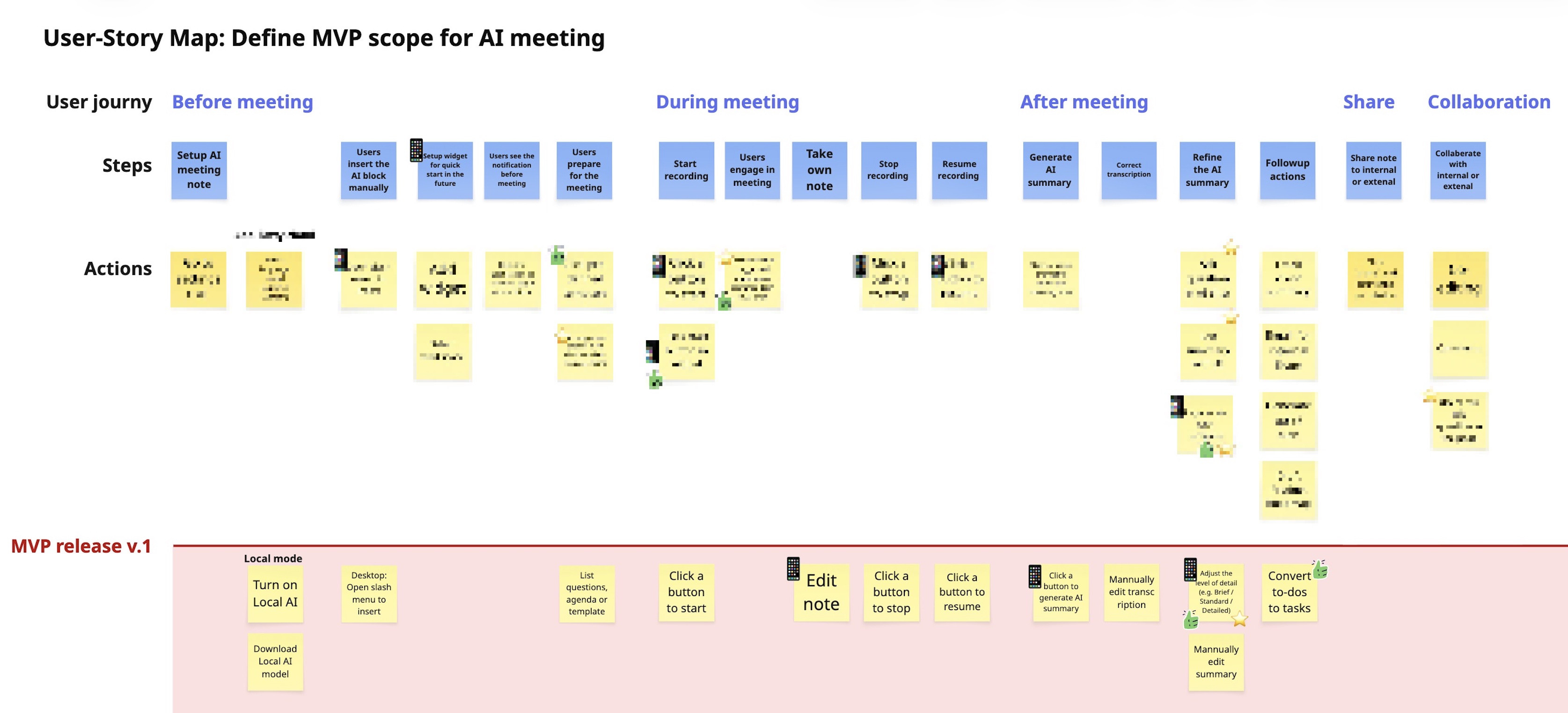
I used user-story mapping to break down each AI experience into actionable flows, then partnered with engineers to estimate effort and define an MVP that could be shipped quickly.

Where technical limitations existed, I designed around them. For example, instead of delaying the launch to build automated speaker recognition, I chose to design a manual member-assignment flow, allowing us to ship faster while giving users more control over transcript accuracy.

User-story map used to align the team on scope and prioritize MVP features

Based on the MVP scope, I broke down user flows and delivered iteratively through sprint planning.

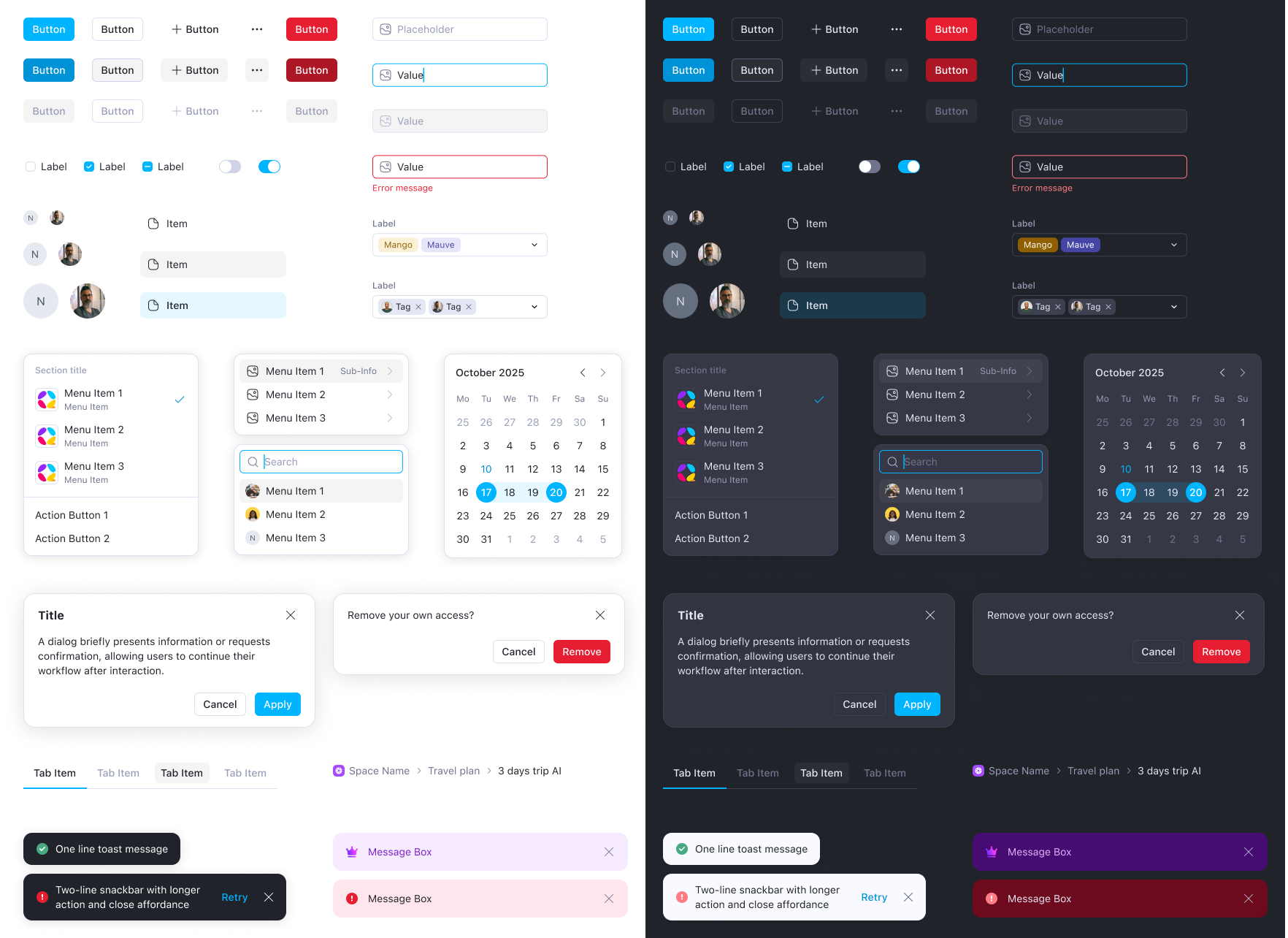
As AI features introduced new interaction patterns rapidly, inconsistency became a growing issue. Instead of building a full design system upfront, I scoped it down to core components and tokens to balance speed and scalability, while reducing inconsistency across features.

Token-based design system across Desktop/Web and Mobile, significantly reducing recurring style bugs across releases

Showcase

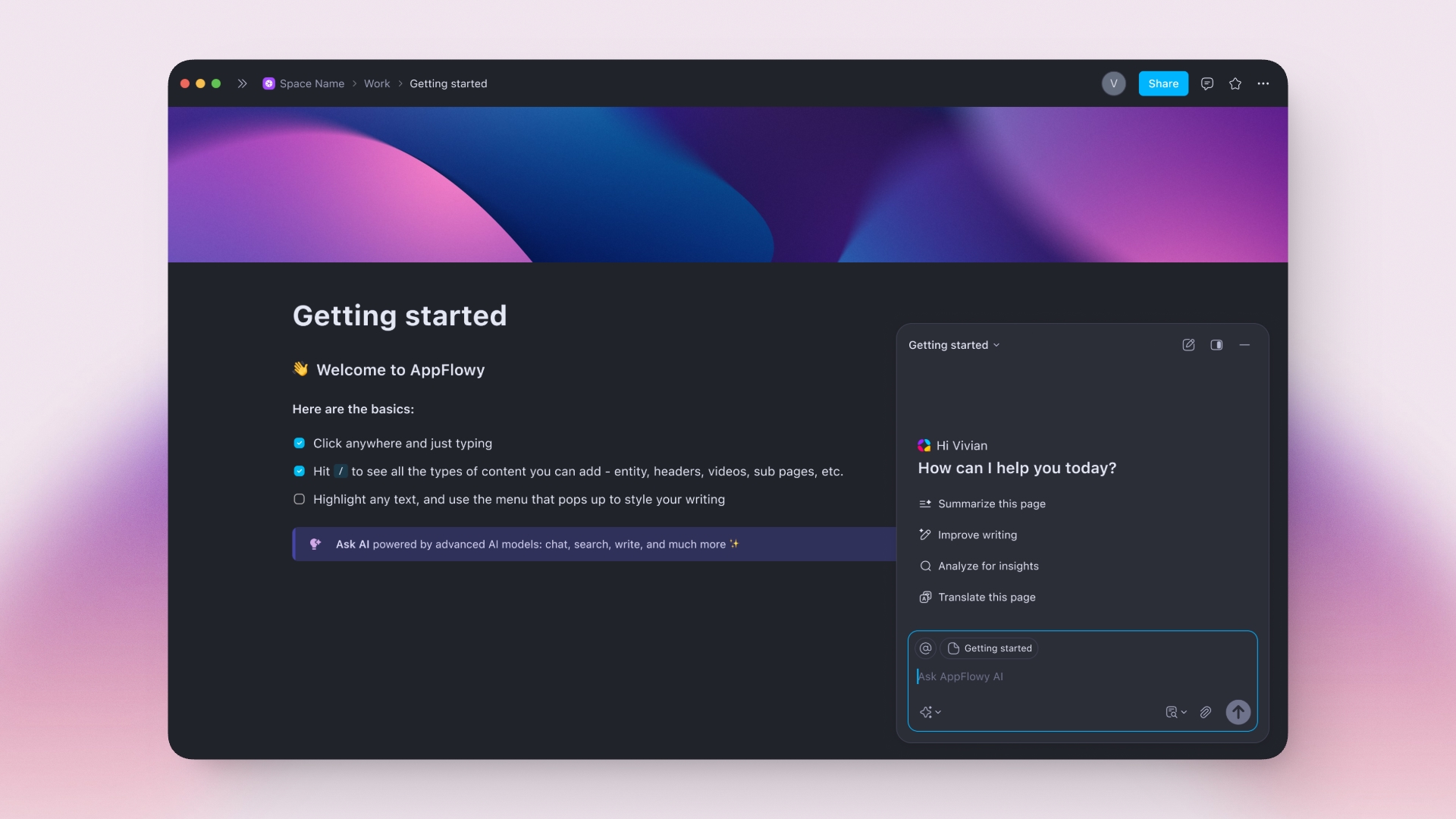
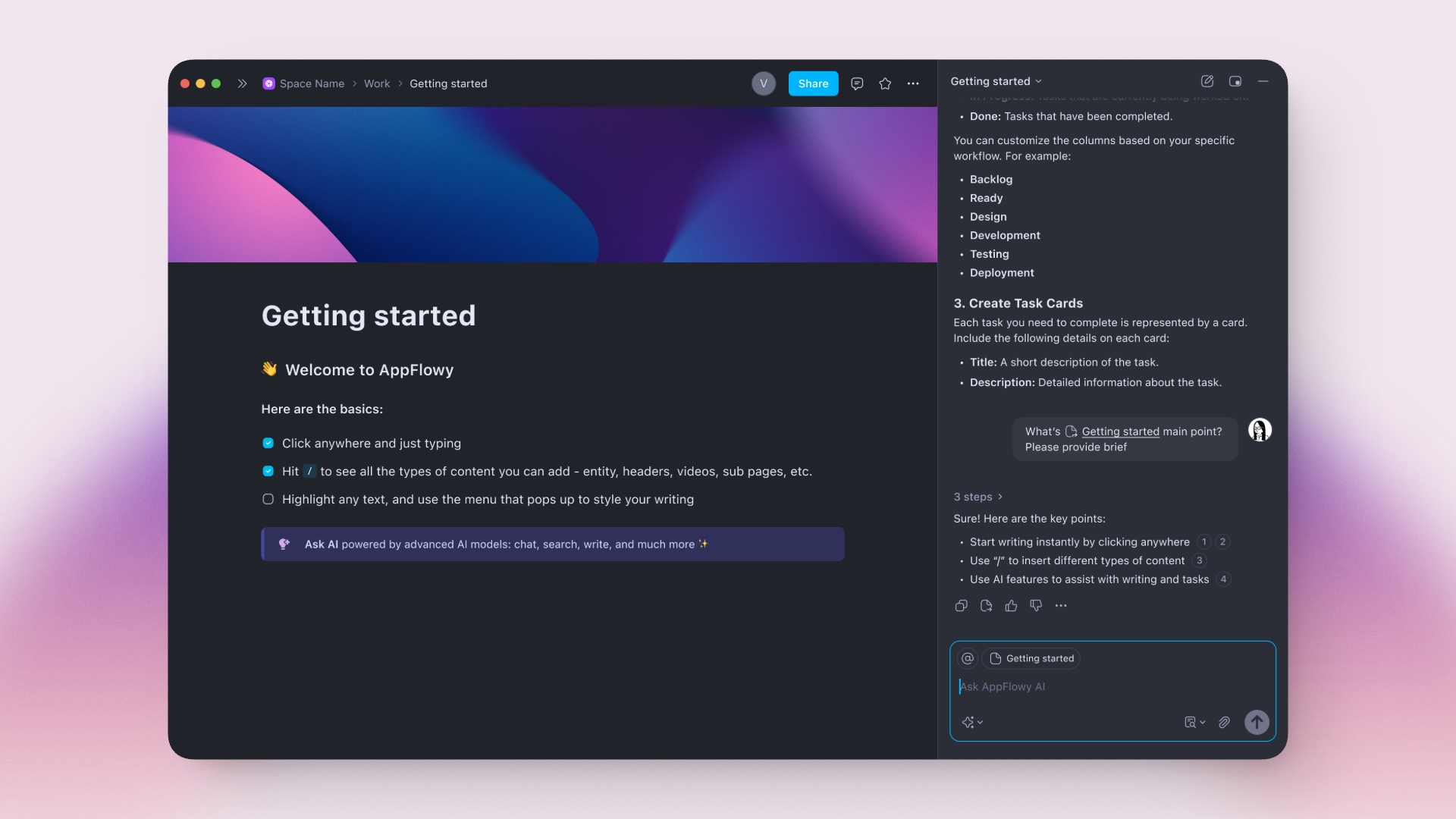
Access AI within your workflow

Two modes based on response length: floating chat for quick questions, full panel for longer ones.
Generate ideas, summarize content, and ask questions without switching tools.

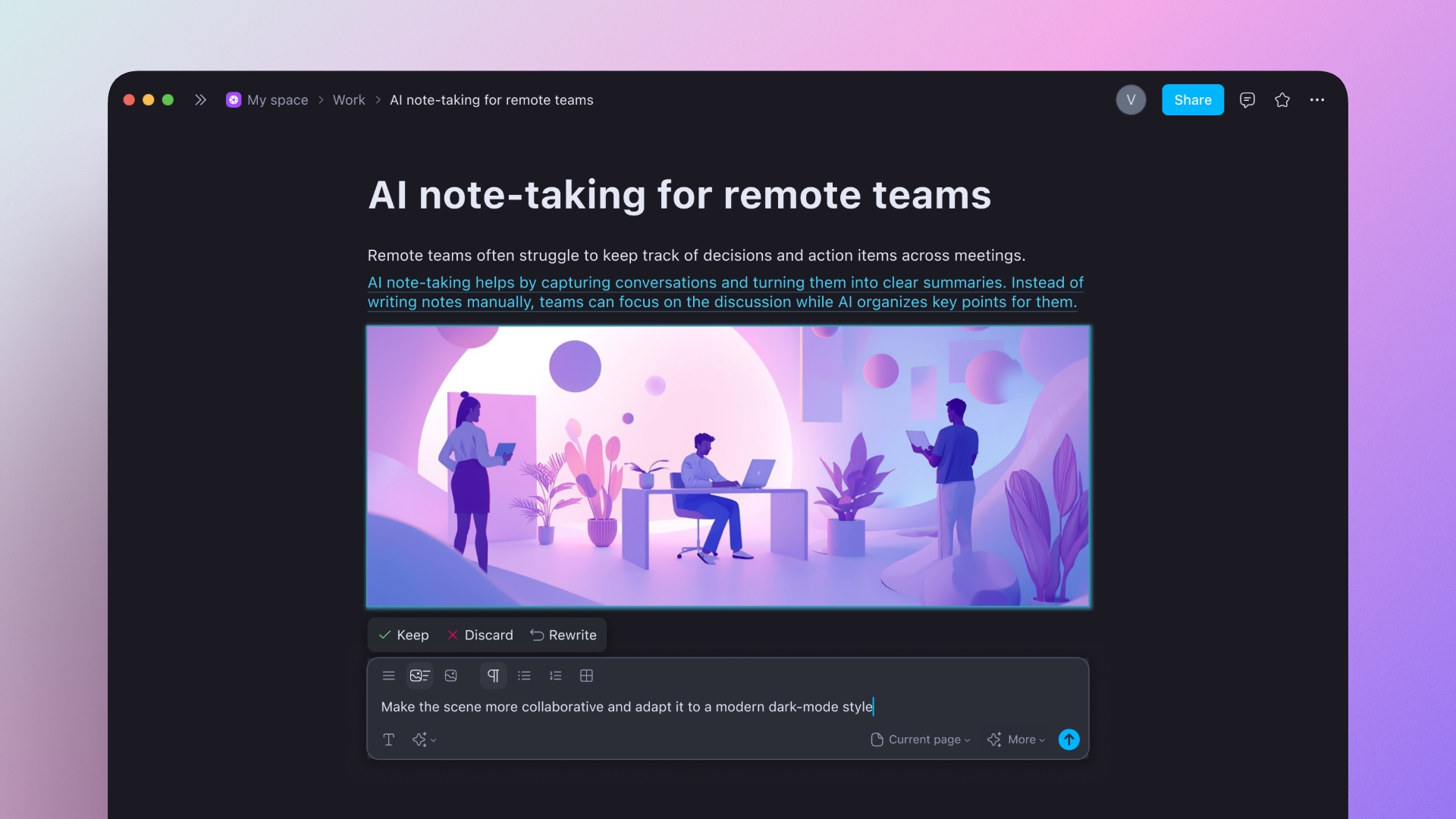
Generate images and content with flexible controls

Set up and refine prompts to generate content across formats, such as images, paragraphs, bullet points, or tables.

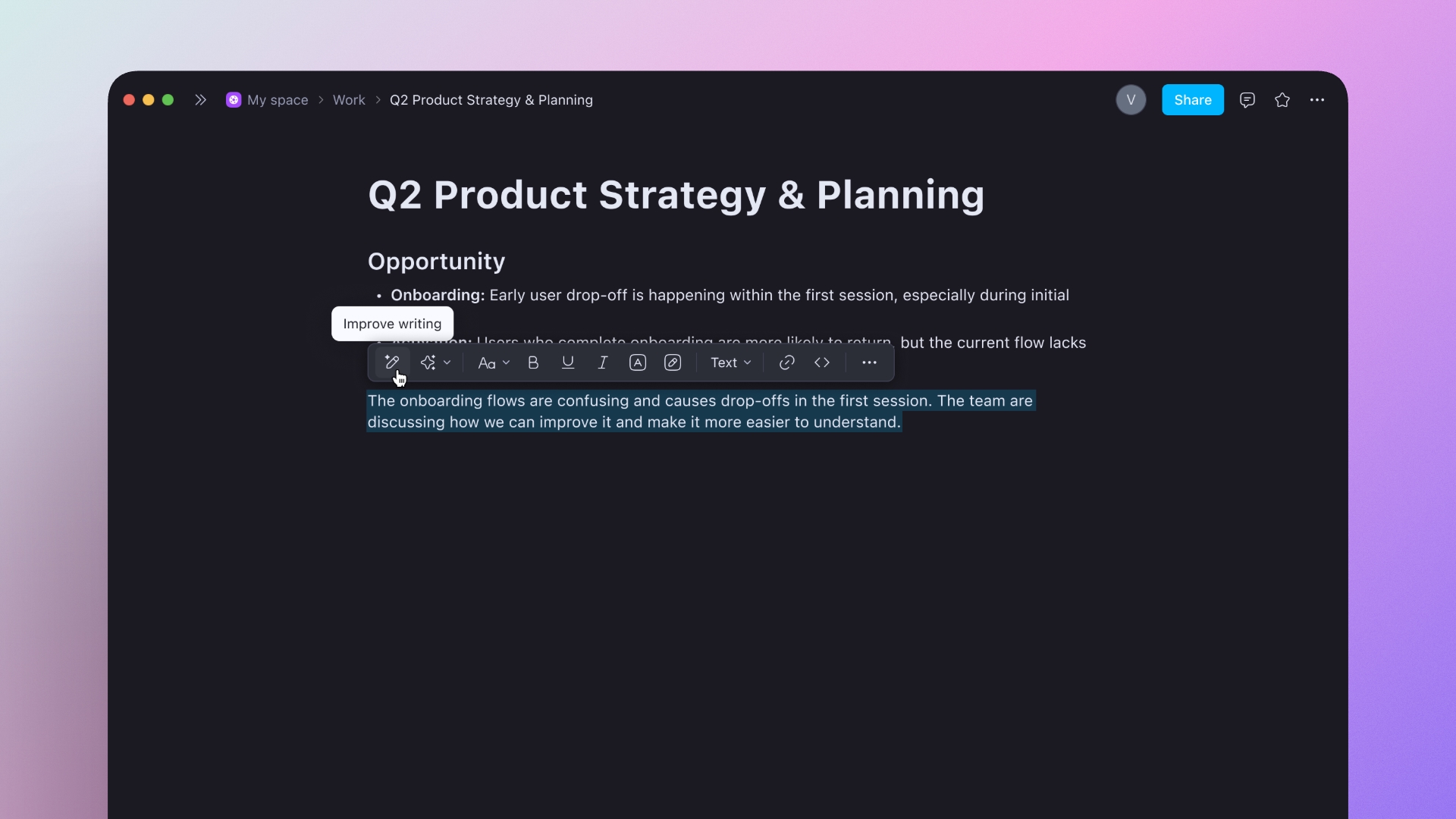
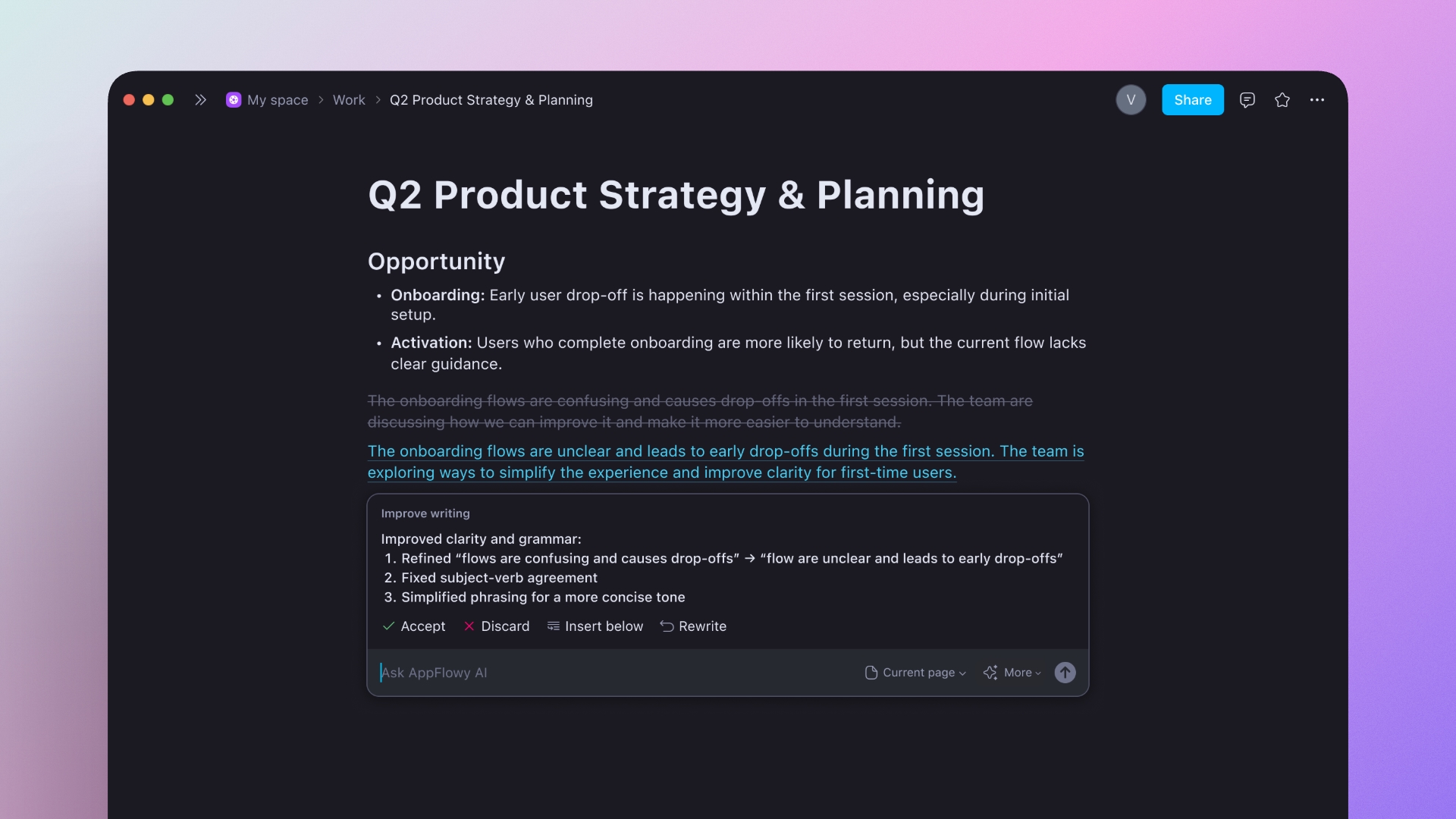
Refine writing with contextual AI

Highlight any text and improve clarity, grammar, and tone in one click, without leaving your document.

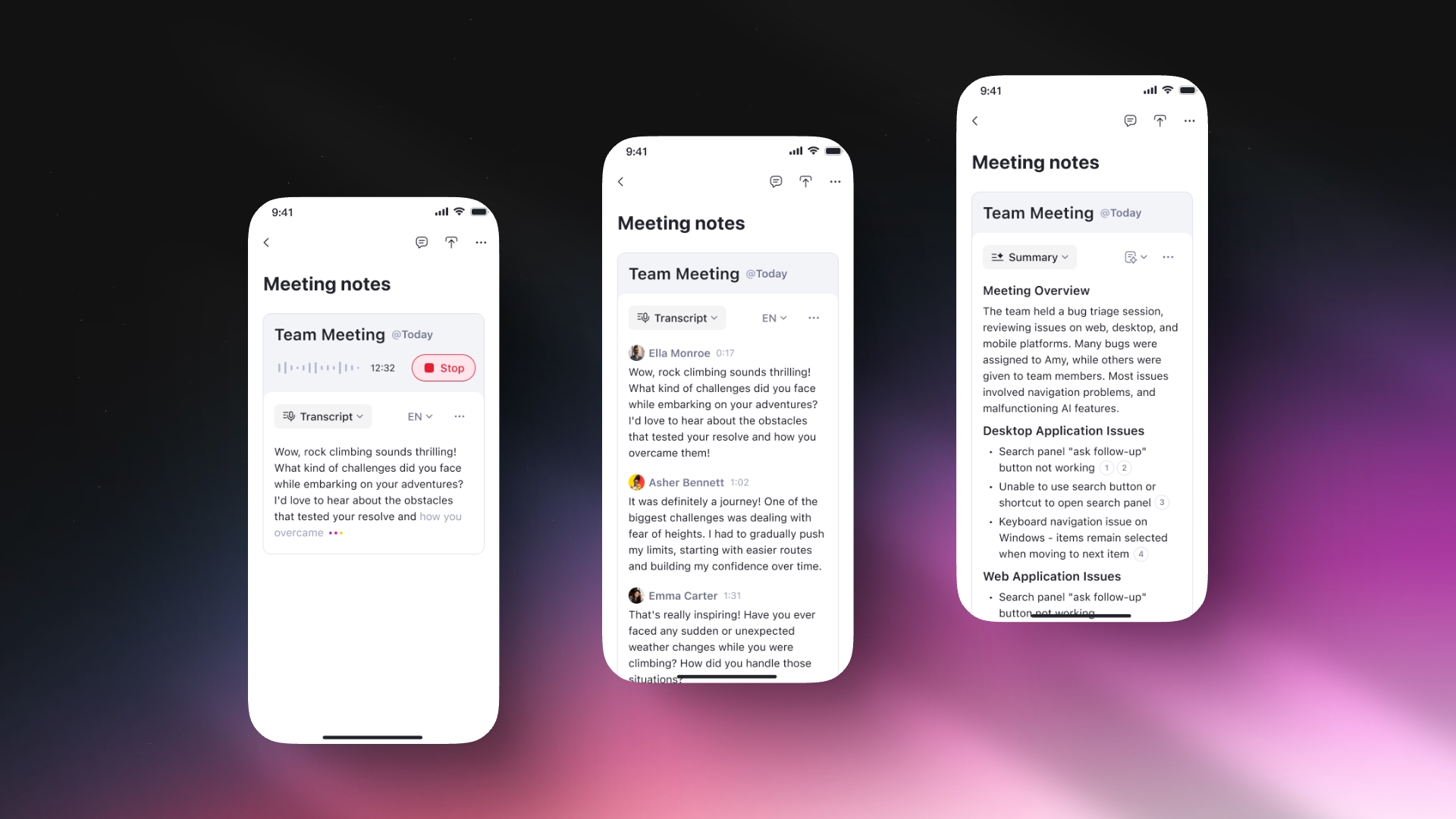
Turn conversations into structured insights

Capture conversations, review transcripts, and turn discussions into structured summaries with AI.

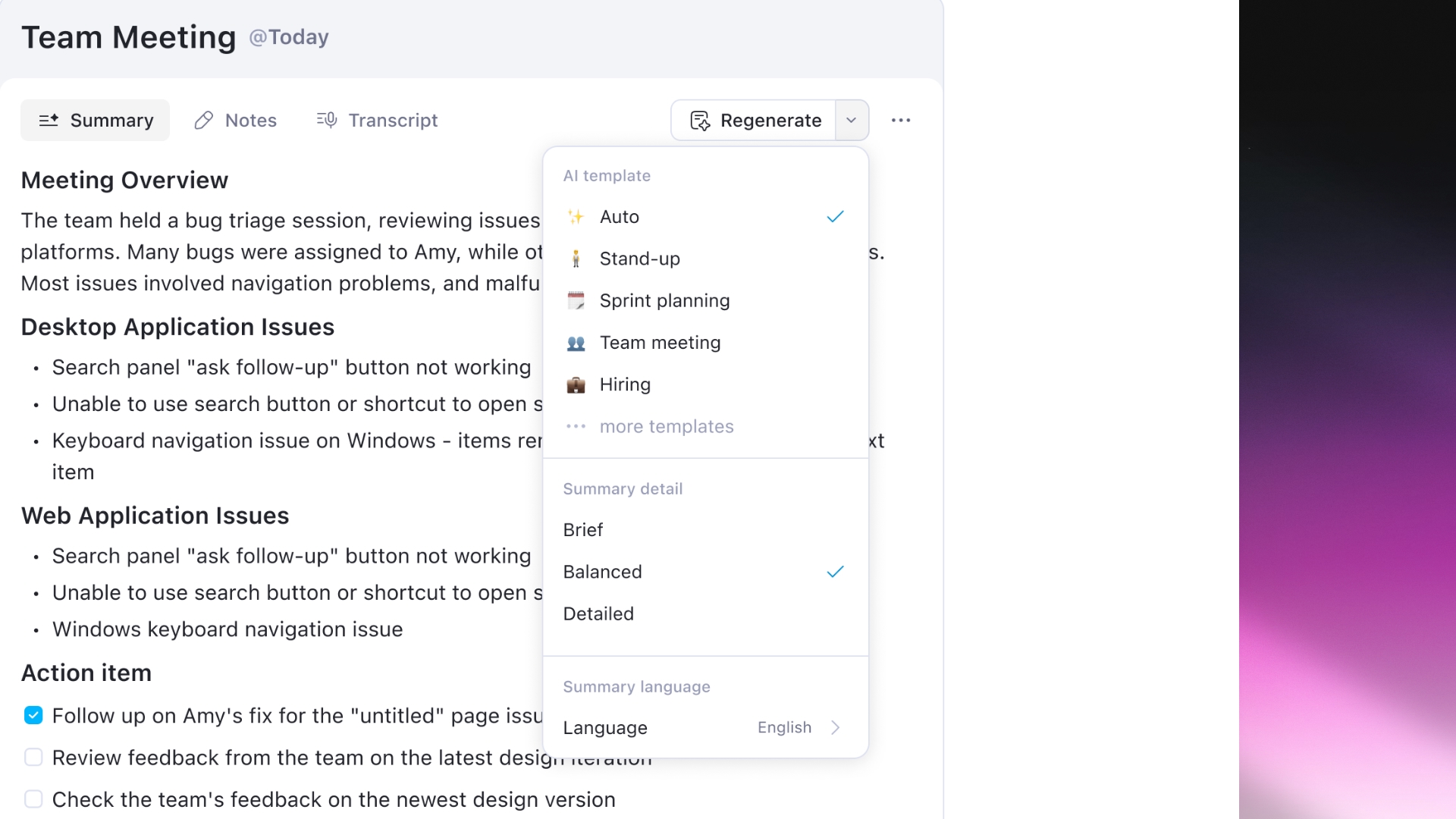
Customize summaries to fit different use cases

Adjust AI templates, level of detail, and language to match different meeting needs.

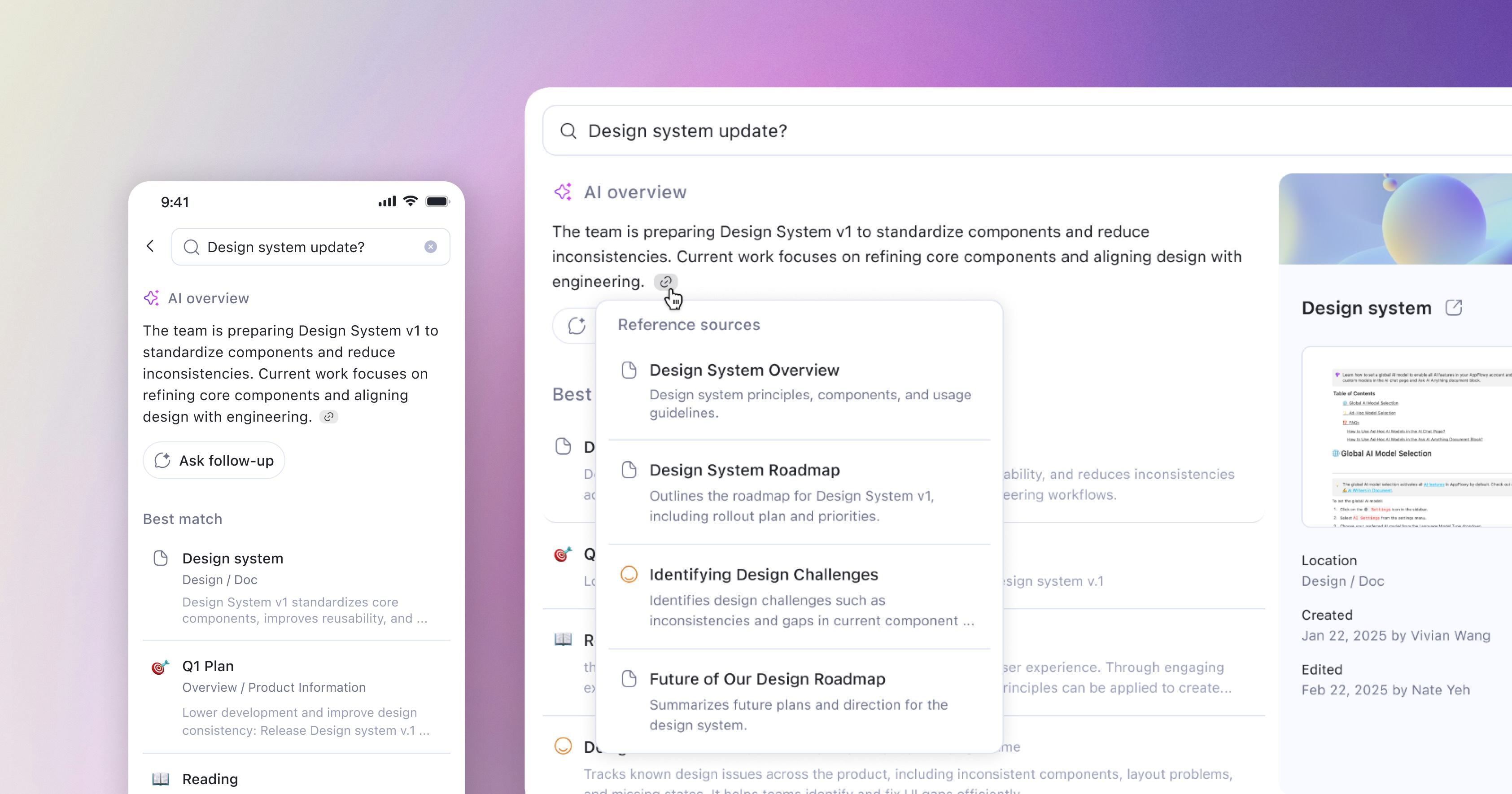
Search and explore answers with AI

Ask natural questions, find answers from your workspace, and verify sources to build trust.

Outcome

More than a feature launch, this project shifted AppFlowy from a document tool to an AI-powered workspace. Users can write, think, and capture ideas without switching tools. The premium AI plan introduced a new revenue path and expanded AppFlowy’s reach. I also established a scalable, token-based design system across platforms, accelerating development and reducing bugs.

2.5×

registered user growth
(from 40K to 100K)

2×

AI usage in 3 months
(after AI chat redesign)

4.8 stars

App rating
(from 3.7 stars, driven by AI features and a scalable design system)

Community-driven iteration

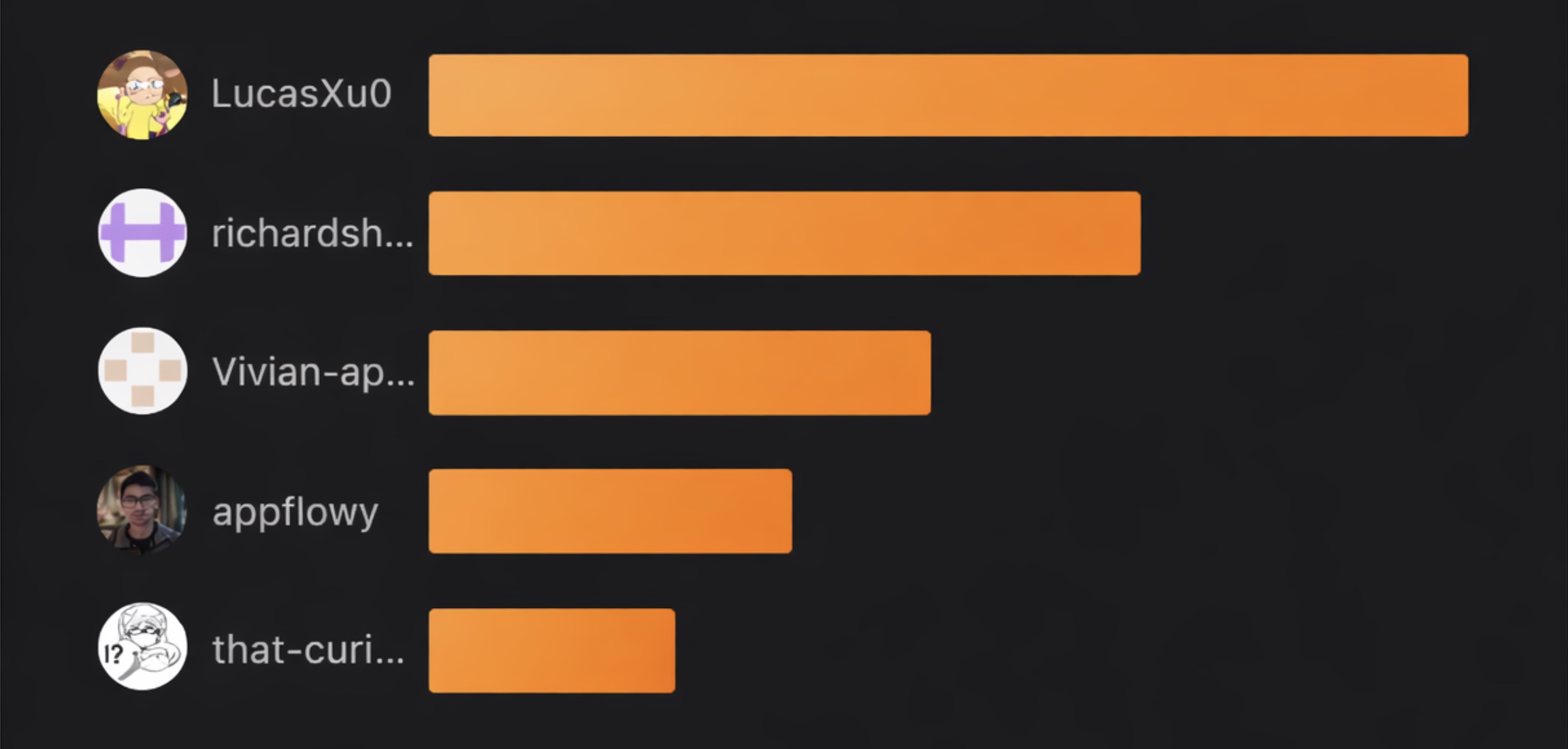
In parallel, I actively engaged with the community across Discord, GitHub, and Reddit, using user feedback to inform product decisions and drive product improvements.

Among the top contributors in the AppFlowy GitHub community
Next Project

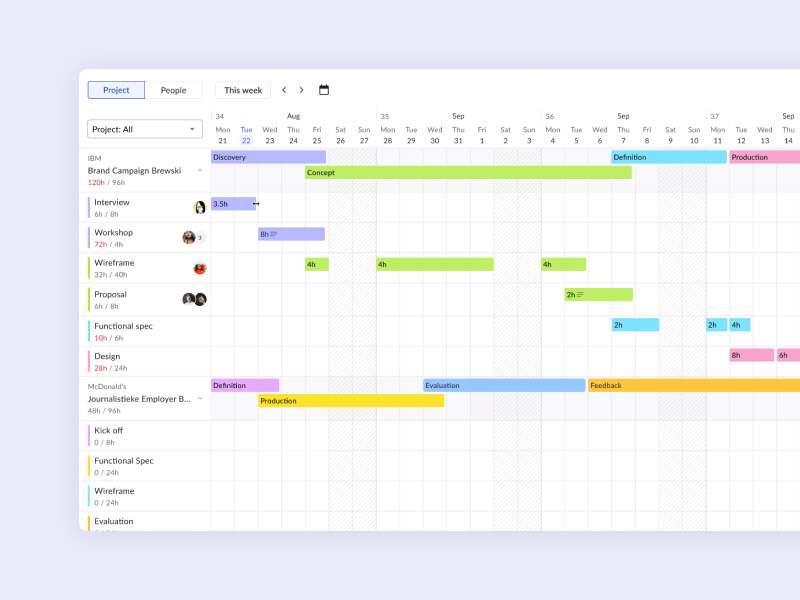
Planner

Smarter project planning gets the best out of your talent and time.

View Case Study ->

Back to Home Page